xAI Grok
xAI Grok is an AI assistant built by xAI designed to chat, create images, write code, and get real-time answers from the web and X.
Data integration: Skyvia supports xAI Grok connector in the Lookup component of Data Flow and Action component of Control Flow.
Backup: Skyvia Backup does not support xAI Grok backup.
Query: Skyvia Query does not support xAI Grok.
Establishing Connection
To create a connection to xAI Grok, you need to get xAI Grok API Key.
Getting Credentials
To obtain the API Key, perform the following steps:
-
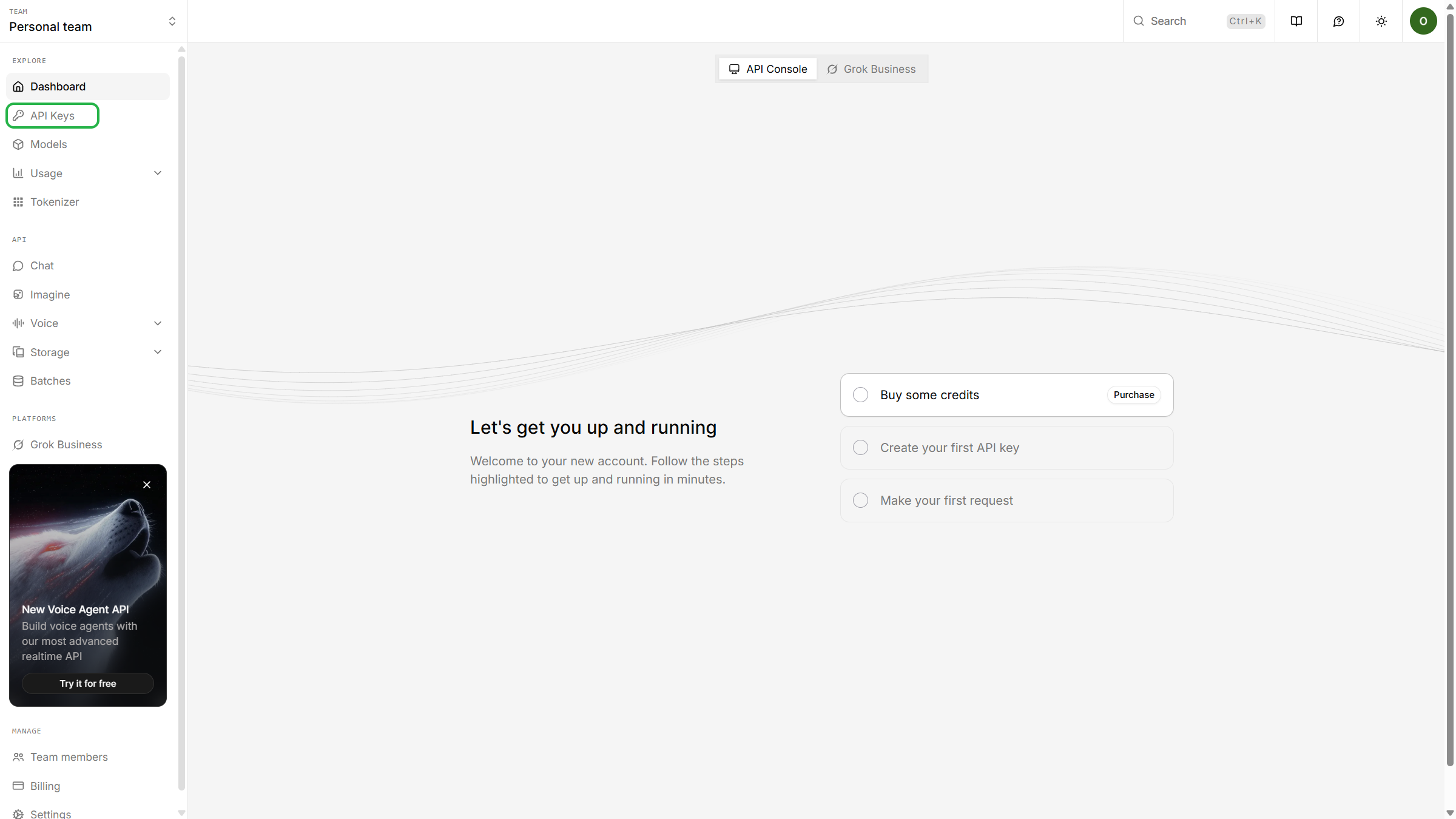
Go to https://console.x.ai/. Sign in to you xAI Grok account and click API Settings on the left.
-
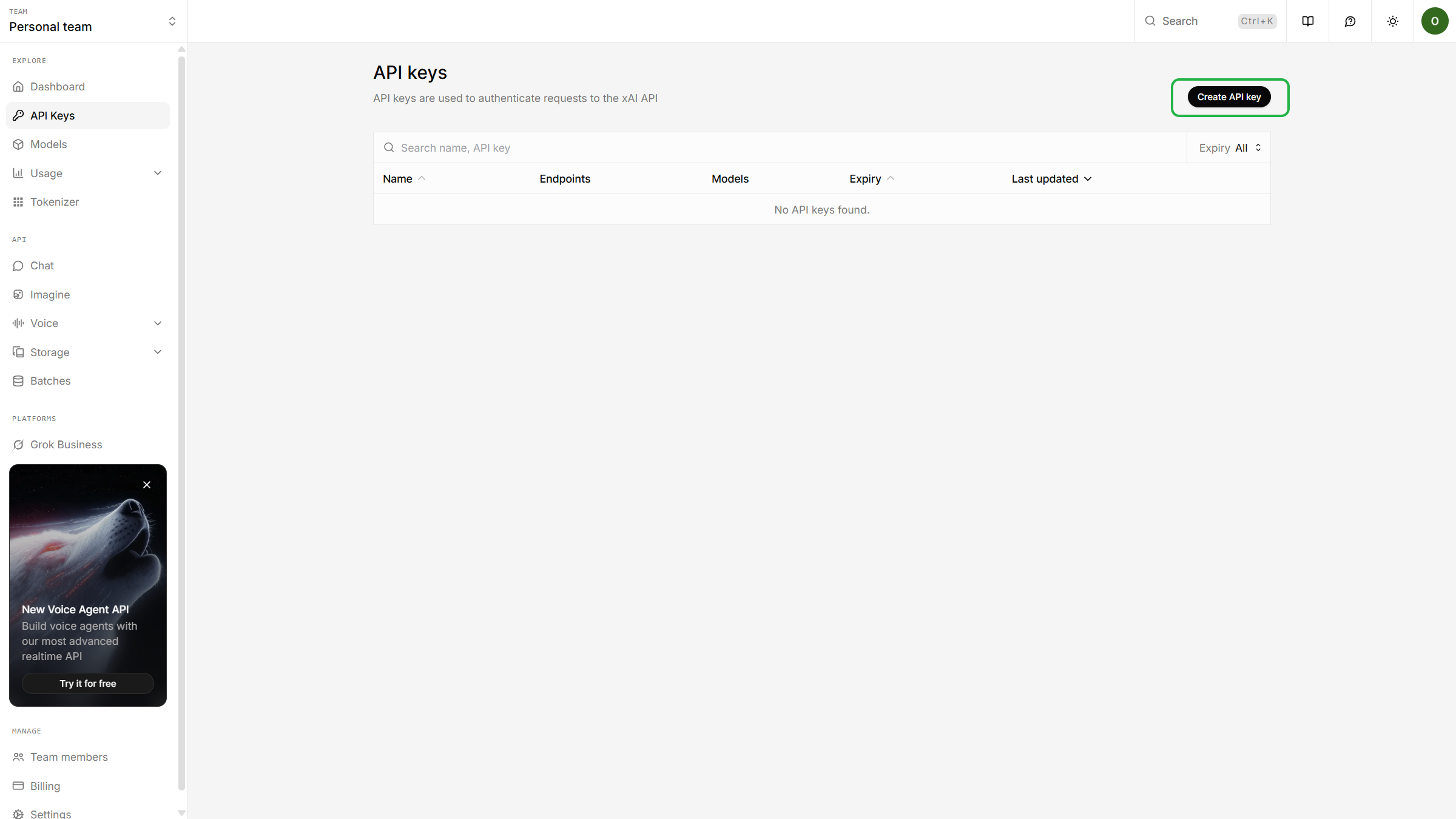
Click Create API key.
-
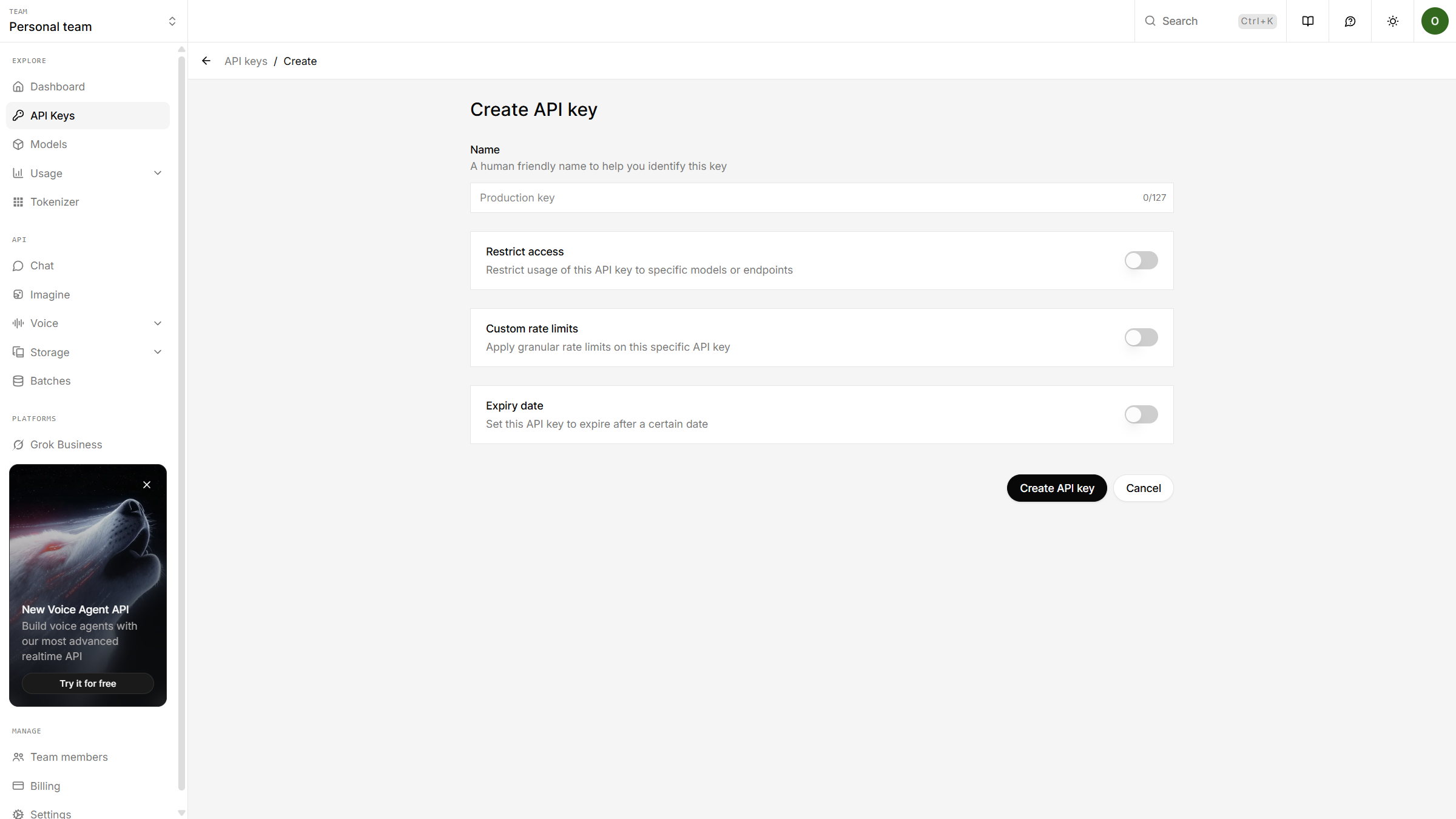
Name the API key and configure settings
-
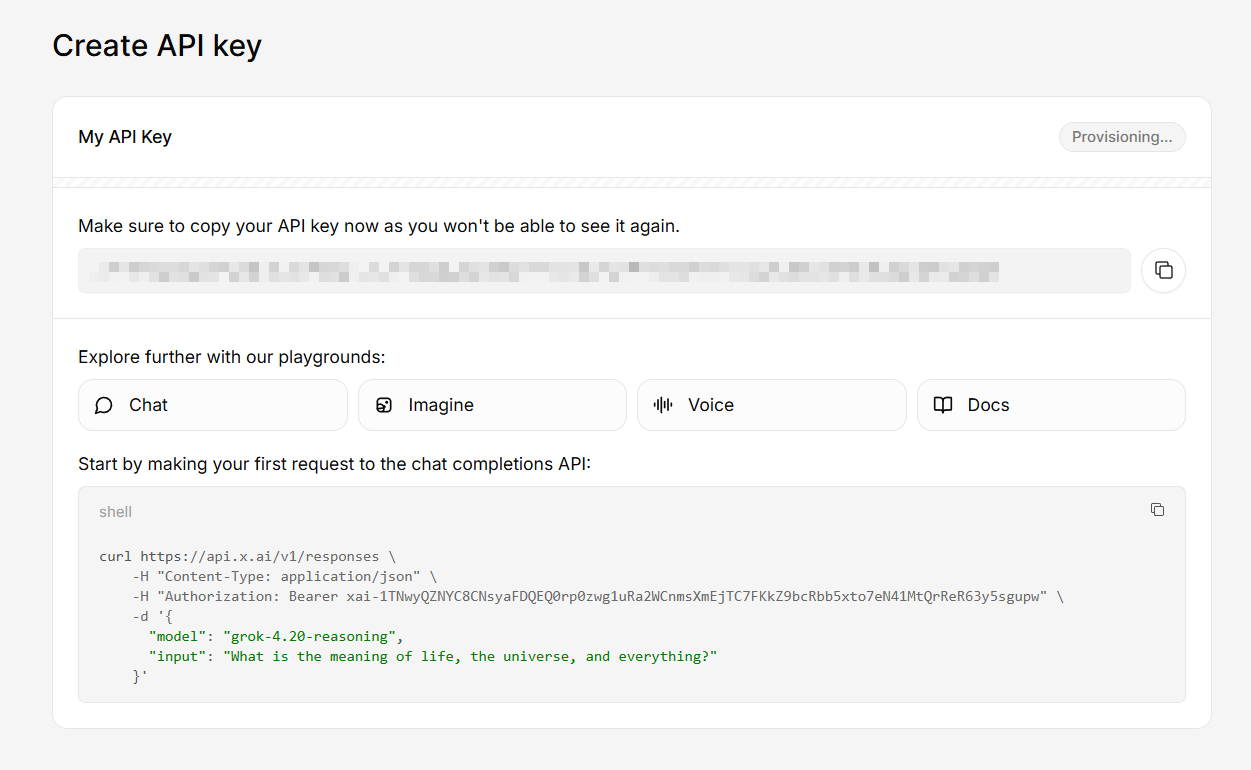
Copy the API key.
Creating Connection
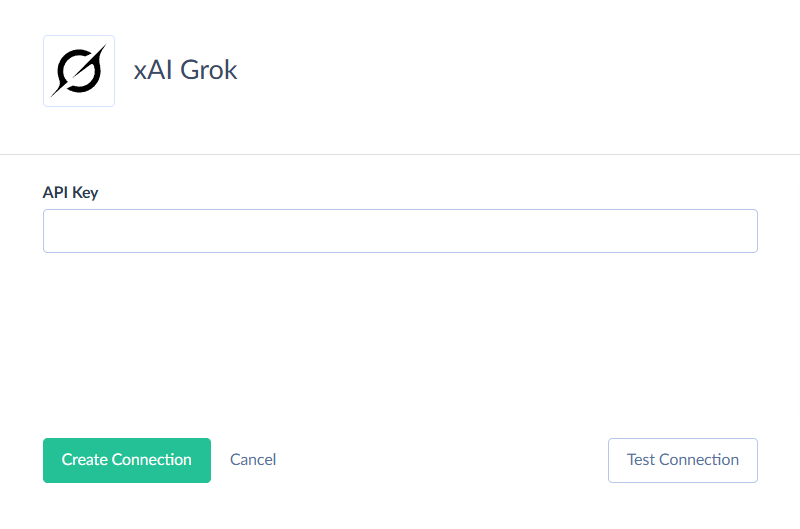
To connect to xAI Grok, enter your API Key.
Connector Specifics
xAI Grok connector does not contain any objects as it does not provide access to any data. It provides access to xAI Grok API that allow you to send prompts and obtain results from AI models. You can use them via different actions and stored procedures that you can call in the Execute Command action.
Stored Procedures
Skyvia supports the following stored procedures for the xAI Grok connector.
GenerateResponse
To generate a response to the provided message with an AI model, use the command:
CALL GenerateResponse(:Message, :Instructions, :Model, :PreviousResponseId, :Temperature, :TopP, :MaxOutputTokens, :MaxToolCalls, :Store, :ReasoningEffort)
| Parameter Name | Description |
|---|---|
| Message | String. The prompt for the AI. Required parameter. |
| Instructions | String. A system message inserted into the model's context. |
| Model | Required, enum. The ID of the model to use. |
| PreviousResponseId | String. The unique ID of the previous response to the model. Works only when Store = true |
| Temperature | Double. The sampling temperature to use, between 0 and 2. Higher values will make the result more random, lower values - more determined. |
| TopP | Double. It is a number from 0 to 1. It uses nucleus sampling, where the model considers the results of the tokens with top_p probability mass. The value 0.1 means that only the tokens comprising the top 10% probability mass are considered. It is not recommended to specify both Temperature and TopP parameters. |
| MaxOutputTokens | Int32. The maximum number of output tokens that can be generated. |
| MaxToolCalls | Int32. The maximum number of total calls to built-in tools. |
| Store | Boolean. Determines whether to store the generated response. Use true to enable storing and false to disable. |
| ReasoningEffort | Enum. The effort the model should put into reasoning. |
The procedure returns the following result fields: Response_Result, Response_Reasoning, Response_Id, Response_Status, Response_Error, Response_Object, Response_CreatedAt, Response_CompletedAt, Response_IncompleteDetails, Response_Temperature, Response_TopP, Response_MaxOutputTokens, Response_MaxTollCalls, Response_PreviousResponseId, Response_Store, Response_Model, Response_TextFormatType, Response_TextVerbosity, Response_ReasoningEffort, Response_ReasoningSummary, Response_Truncation, Response_SafetyIdentifier, Response_ParallelToolCalls, Response_ToolChoice, Response_Tools, Response_ServiceTier, Response_UsageInputTokens, Response_UsageInputTokensDetailsCachedTokens, Response_UsageOutputTokens, Response_UsageTotalTokens, Response_UsageNumSourcesUsed, Response_UsageNumServerSideToolsUsed, Response_UsageCostInUsdTicks, Response_UsageOutputTokensDetailsReasoningTokens.
AnalyzeImage
Analyzes one or more (up to three) images with an AI model. You can refer to images in prompts using their numbers (1 to 3). To do that use the command:
CALL AnalyzeImage(:Message, :Image1_Content, :Image2_Content, :Image3_Content, :Instructions, :Model, :PreviousResponseId, :Temperature, :TopP, :MaxOutputTokens, :MaxToolCalls, :Store, :ReasoningEffort)
| Parameter Name | Description |
|---|---|
| Message | String. The prompt for the AI. This parameter is required. |
| Image1_Content | Binary. The first image content. This parameter is required. |
| Image2_Content | Binary. The second image content. |
| Image3_Content | Binary. The third image content. |
| Instructions | String. A system message inserted into the model's context. |
| Model | Required, enum. The ID of the model to use. |
| PreviousResponseId | String. The unique ID of the previous response to the model. Works only when Store = true |
| Temperature | Double. The sampling temperature to use, between 0 and 2. Higher values will make the result more random, lower values - more determined. |
| TopP | Double. It is a number from 0 to 1. It uses nucleus sampling, where the model considers the results of the tokens with top_p probability mass. The value 0.1 means that only the tokens comprising the top 10% probability mass are considered. It is not recommended to specify both Temperature and TopP parameters. |
| MaxOutputTokens | Int32. The maximum number of output tokens that can be generated. |
| MaxToolCalls | Int32. The maximum number of total calls to built-in tools. |
| Store | Boolean. Determines whether to store the generated response. |
| ReasoningEffort | Enum. The effort the model should put into reasoning. |
The procedure returns the following result fields: Response_Result, Response_Reasoning, Response_Id, Response_Status, Response_Error, Response_Object, Response_CreatedAt, Response_CompletedAt, Response_IncompleteDetails, Response_Temperature, Response_TopP, Response_MaxOutputTokens, Response_MaxTollCalls, Response_PreviousResponseId, Response_Store, Response_Model, Response_TextFormatType, Response_TextVerbosity, Response_ReasoningEffort, Response_ReasoningSummary, Response_Truncation, Response_SafetyIdentifier, Response_ParallelToolCalls, Response_ToolChoice, Response_Tools, Response_ServiceTier, Response_UsageInputTokens, Response_UsageInputTokensDetailsCachedTokens, Response_UsageOutputTokens, Response_UsageTotalTokens, Response_UsageNumSourcesUsed, Response_UsageNumServerSideToolsUsed, Response_UsageCostInUsdTicks, Response_UsageOutputTokensDetailsReasoningTokens.
AnalyzeImageByUrl
Analyzes one or more (up to three) images provided by URL with an AI model. You can refer to images in prompts using their numbers (1 to 3).To do that use the command:
CALL AnalyzeImageByUrl(:Message, :Image1_Url, :Image2_Url, :Image3_Url, :Instructions, :Model, :PreviousResponseId, :Temperature, :TopP, :MaxOutputTokens, :MaxToolCalls, :Store, :ReasoningEffort)
| Parameter Name | Description |
|---|---|
| Message | String. The prompt for the AI. This parameter is required. |
| Image1_Url | String. URL of the first image. This parameter is required. |
| Image2_Url | String. URL of the second image. |
| Image3_Url | String. URL of the third image. |
| Instructions | String. A system message inserted into the model's context. |
| Model | Required, enum. The ID of the model to use. |
| PreviousResponseId | String. The unique ID of the previous response to the model. Works only when Store = true |
| Temperature | Double. The sampling temperature to use, between 0 and 2. Higher values will make the result more random, lower values - more determined. |
| TopP | Double. It is a number from 0 to 1. It uses nucleus sampling, where the model considers the results of the tokens with top_p probability mass. The value 0.1 means that only the tokens comprising the top 10% probability mass are considered. It is not recommended to specify both Temperature and TopP parameters. |
| MaxOutputTokens | Int32. The maximum number of output tokens that can be generated. |
| MaxToolCalls | Int32. The maximum number of total calls to built-in tools. |
| Store | Boolean. Determines whether to store the generated response. |
| ReasoningEffort | Enum. The effort the model should put into reasoning. |
The procedure returns the following result fields: Response_Result, Response_Reasoning, Response_Id, Response_Status, Response_Error, Response_Object, Response_CreatedAt, Response_CompletedAt, Response_IncompleteDetails, Response_Temperature, Response_TopP, Response_MaxOutputTokens, Response_MaxTollCalls, Response_PreviousResponseId, Response_Store, Response_Model, Response_TextFormatType, Response_TextVerbosity, Response_ReasoningEffort, Response_ReasoningSummary, Response_Truncation, Response_SafetyIdentifier, Response_ParallelToolCalls, Response_ToolChoice, Response_Tools, Response_ServiceTier, Response_UsageInputTokens, Response_UsageInputTokensDetailsCachedTokens, Response_UsageOutputTokens, Response_UsageTotalTokens, Response_UsageNumSourcesUsed, Response_UsageNumServerSideToolsUsed, Response_UsageCostInUsdTicks, Response_UsageOutputTokensDetailsReasoningTokens.
You can find more details in the xAI API documentation: responses.
AnalyzeFile
Analyzes one or more (up to three) files with an AI model. You can refer to files in prompts using their names. To do that, use the command:
CALL AnalyzeFile(:Message, :File1_Content, :File1_Name, :File2_Content, :File2_Name, :File3_Content, :File3_Name, :Instructions, :Model, :PreviousResponseId, :Temperature, :TopP, :MaxOutputTokens, :MaxToolCalls, :Store, :ReasoningEffort)
| Parameter Name | Description |
|---|---|
| Message | String. The prompt for the AI. This parameter is required. |
| File1_Content | Binary. The first file content. This parameter is required. |
| File1_Name | String. The name of the first file. This parameter is required. |
| File2_Content | Binary. The second file content. |
| File2_Name | String. The name of the second file. |
| File3_Content | Binary. The third file content. |
| File3_Name | String. The name of the third file. |
| Instructions | String. A system message inserted into the model's context. |
| Model | Required, enum. The ID of the model to use. |
| PreviousResponseId | String. The unique ID of the previous response to the model. Works only when Store = true |
| Temperature | Double. The sampling temperature to use, between 0 and 2. Higher values will make the result more random, lower values - more determined. |
| TopP | Double. It is a number from 0 to 1. It uses nucleus sampling, where the model considers the results of the tokens with top_p probability mass. The value 0.1 means that only the tokens comprising the top 10% probability mass are considered. It is not recommended to specify both Temperature and TopP parameters. |
| MaxOutputTokens | Int32. The maximum number of output tokens that can be generated. |
| MaxToolCalls | Int32. The maximum number of total calls to built-in tools. |
| Store | Boolean. Determines whether to store the generated response. |
| ReasoningEffort | Enum. The effort the model should put into reasoning. |
The procedure returns the following result fields: Response_Result, Response_Reasoning, Response_Id, Response_Status, Response_Error, Response_Object, Response_CreatedAt, Response_CompletedAt, Response_IncompleteDetails, Response_Temperature, Response_TopP, Response_MaxOutputTokens, Response_MaxTollCalls, Response_PreviousResponseId, Response_Store, Response_Model, Response_TextFormatType, Response_TextVerbosity, Response_ReasoningEffort, Response_ReasoningSummary, Response_Truncation, Response_SafetyIdentifier, Response_ParallelToolCalls, Response_ToolChoice, Response_Tools, Response_ServiceTier, Response_UsageInputTokens, Response_UsageInputTokensDetailsCachedTokens, Response_UsageOutputTokens, Response_UsageTotalTokens, Response_UsageNumSourcesUsed, Response_UsageNumServerSideToolsUsed, Response_UsageCostInUsdTicks, Response_UsageOutputTokensDetailsReasoningTokens.
GenerateImage
To generate an image based on instructions, use the command:
CALL GenerateImage(:Instructions, :Model, :AspectRatio, :Resolution)
| Parameter Name | Description |
|---|---|
| Instructions | String. Instructions describing the desired image. This parameter is required. |
| Model | Enum. The ID of the model to use. |
| AspectRatio | Enum. The aspect ratio of the generated media. |
| Resolution | Enum. The resolution of the generated media. |
The procedure returns the result in the ResultImage_Content field.
EditImage
Edits one or more (up to three) images with an AI model. You can refer to images in prompts using their numbers (1 to 3). To do that, use the command:
CALL EditImage(:Instructions, :Image1_Content, :Image2_Content, :Image3_Content, :Model, :AspectRatio, :Resolution)
| Parameter Name | Description |
|---|---|
| Instructions | String. Instructions describing the desired change. This parameter is required. |
| Image1_Content | Binary. The first image content. This parameter is required. |
| Image2_Content | Binary. The second image content. |
| Image3_Content | Binary. The third image content. |
| Model | Enum. The ID of the model to use. |
| AspectRatio | Enum. The aspect ratio of the generated media. |
| Resolution | Enum. The resolution of the generated media. |
The procedure returns the result in the ResultImage_Content field.
EditImageByUrl
Edits one or more (up to three) images provided by URL with an AI model. You can refer to images in prompts using their numbers (1 to 3). To do that, use the command:
CALL EditImageByUrl(:Instructions, :Image1_Url, :Image2_Url, :Image3_Url, :Model, :AspectRatio, :Resolution)
| Parameter Name | Description |
|---|---|
| Instructions | String. Instructions describing the desired change. This parameter is required. |
| Image1_Url | String. URL of the first image. This parameter is required. |
| Image2_Url | String. URL of the second image. |
| Image3_Url | String. URL of the third image. |
| Model | Enum. The ID of the model to use. |
| AspectRatio | Enum. The aspect ratio of the generated media. |
| Resolution | Enum. The resolution of the generated media. |
The procedure returns the result in the ResultImage_Content field.
GenerateAudio
To generate audio from text, use the command:
CALL GenerateAudio(:Text, :Language, :Voice, :OutputCodec, :OutputSampleRate, :OutputMp3Bitrate)
| Parameter Name | Description |
|---|---|
| Text | String. The input text string. This parameter is required. |
| Language | Enum. The language of the text or audio. This parameter is required. |
| Voice | Enum. The voice to use for audio generation. |
| OutputCodec | Enum. The codec for the output audio. |
| OutputSampleRate | Enum. The sample rate for the output audio. |
| OutputMp3Bitrate | Enum. The bitrate for the output MP3 audio. |
The procedure returns the result in the ResultAudio_Content field.
GenerateVideo
To generate a video with an AI model, use the command:
CALL GenerateVideo(:Instructions, :Model, :AspectRatio, :Duration, :Resolution, :Image_Content, :Image_Url)
| Parameter Name | Description |
|---|---|
| Instructions | String. Instructions describing the desired video. This parameter is required. |
| Model | Enum. The ID of the model to use. |
| AspectRatio | Enum. The aspect ratio of the generated media. |
| Duration | Int32. The duration of the video in seconds. |
| Resolution | Enum. The resolution of the generated media. |
| Image_Content | Binary. Image content for the video generation. |
| Image_Url | String. Image URL for the video generation. |
The procedure returns the result in the ResultVideo_Content field.
EditVideo
To edit a video with an AI model, use the command:
CALL EditVideo(:Video_Content, :Instructions, :Model)
| Parameter Name | Description |
|---|---|
| Video_Content | Binary. The input video content. This parameter is required. |
| Instructions | String. Instructions describing the desired change. This parameter is required. |
| Model | Enum. The ID of the model to use. |
The procedure returns the result in the ResultVideo_Content field.
EditVideoByUrl
To edit a video provided by URL with an AI model, use the command:
CALL EditVideoByUrl(:Video_Url, :Instructions, :Model)
| Parameter Name | Description |
|---|---|
| Video_Url | String. URL of the input video. This parameter is required. |
| Instructions | String. Instructions describing the desired change. This parameter is required. |
| Model | Enum. The ID of the model to use. |
The procedure returns the following result fields: ResultVideo_Content.
Supported Actions
Skyvia supports the standard Execute Command action for xAI Grok, as well as the following custom actions:
Analyze File
Analyze Image
Analyze Image By Url
Classify Text
Edit Image
Edit Image By Url
Edit Video
Edit Video By Url
Generate Audio
Generate Image
Generate Response
Generate Video
Summarize Text