Provider Architecture
To create your own provider, implement a .NET class, inherited from the base SDKProvider class. Implement methods of this class that will be available on Skyvia in the Execute Function action and mark them with the ProviderMethod attribute.
Base Class Methods
You can override the following provider lifecycle methods the base SDKProvider class:
Init
1
public virtual Task Init(CancellationToken cancellationToken)
This method is called when initializing the provider. Usually, it is used for preparing the necessary resources or establishing a connection with an external system. For example, you can use this method to:
- create and configure HttpClient
- establish a database connection
- perform REST API authentication
- load configuration
Test
1
public virtual Task Test(CancellationToken cancellationToken)
Use this method to check whether the data source is available and connection parameters are correct. Usually, this method executes a lightweight request to the system, for example:
- checking the underlying database connection
- test HTTP request to API
- checking authentication
Skyvia uses this method when checking the connection in the connection settings.
Dispose
1
public virtual Task Dispose(CancellationToken cancellationToken)
This is the method of the base IDisposable interface. Use this method to release the resources, created by the provider, for example:
- closing a database Connection
- releasing HttpClient
- releasing other unmanaged or IDisposable resources.
ProviderMethod Attribute
You need to apply the ProviderMethod attribute to a provider class method in order to make this method available in Skyvia.
1
2
3
4
5
6
7
8
9
10
11
12  [AttributeUsage(AttributeTargets.Method)]
  public sealed class ProviderMethodAttribute : Attribute {

    public string Name { get; set; }
    public ProviderActionType ActionType { get; set; }

    public ProviderMethodAttribute(ProviderActionType actionType = ProviderActionType.Source | ProviderActionType.Target | ProviderActionType.Lookup | ProviderActionType.Action, string name = null) {

      Name = name;
      ActionType = actionType;
    }
  }
This attribute determines:
- ActionType - determines where the method is available.
- Name - optional method name that is displayed in Skyvia interface.
1
2
3
4
5
6
7
8
[Flags]
public enum ProviderActionType
{
Source = 1,
Target = 2,
Lookup = 4,
Action = 8
}
The ActionType enumeration determines where the corresponding method can be used. This enumeration is marked with the Flags attribute, so you can assign multiple values via the or operator in the ProviderMethod Attribute. Thus, the same method can be used in different components, provided that it has suitable signature.
Provider Methods
Provider methods implement the provider functionality. They must be public. Skyvia supports both synchronous and asynchronous methods.
You must apply the ProviderMethod attribute to methods that you want to make available for Skyvia. This attribute tells Skyvia, how the method can be used.
Each method can have a parameter with the name parameters. This parameter is used to pass the input parameters to the method as an instance of a special class, fields of which correspond to the input parameters. For the Target method, this must be a collection of instances, because Target component works in batch mode. You can apply the Required attribute to the fields, corresponding to required parameters.
The same method can be used in different components if it has a suitable signature. For example, you can use a method like this in Source and Lookup components of Data Flow and in Action components of Control Flow and Automation:
1
2
3
4
5
[ProviderMethod(ProviderActionType.Source | ProviderActionType.Lookup | ProviderActionType.Action)]
public async Task<IEnumerable<Product>> SearchProducts(SearchProductsRequest parameters, CancellationToken cancellationToken)
{
...
}
Source Methods
Source methods are used in the Source component in Data Flow and in the Advanced mode of Import and Export integration. Usually such methods select data from a data source.
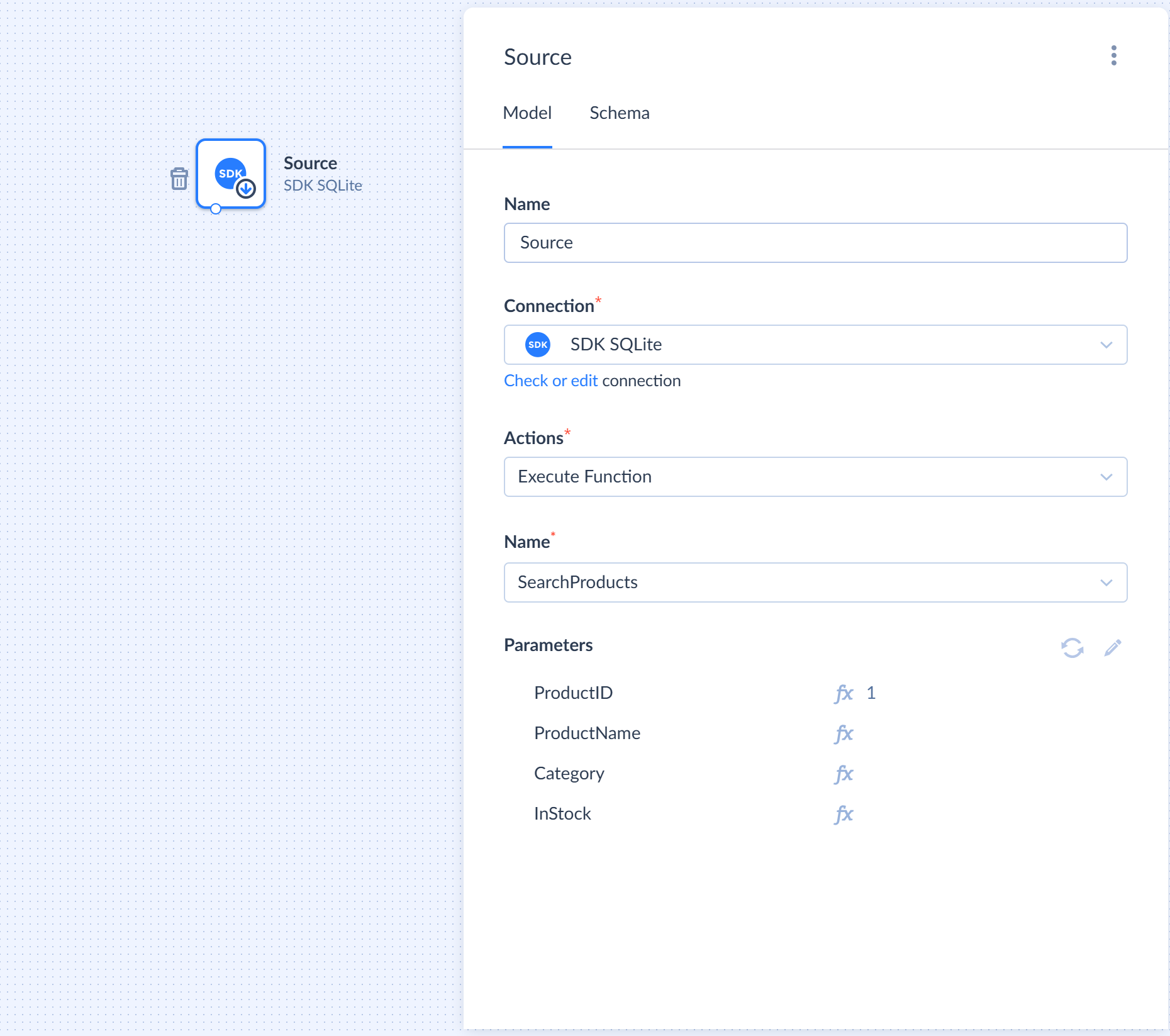
Requirements
The method must:
- be a public method of the provider class
- be marked with the ProviderActionType attribute with ActionType value including ProviderActionType.Source
- have either no parameters parameter or have such parameter as a single object instance, not a collection
- return a collection of objects
Method Signature
Here are examples of a typical method signature:
1
2
3
Task<IEnumerable<TResult>> MethodName(CancellationToken cancellationToken)
Task<IEnumerable<TResult>> MethodName(TParameter parameters, CancellationToken cancellationToken)
Where:
- TParameter is a class that represents input parameters
- TResult is a class that represents a record from the data source
Parameters
The method can either have no special parameter parameters or have such a parameter of a single object type TParameter, not a collection.
TParameter type example:
1
2
3
4
5
public class SearchProductsRequest
{
public long? Id { get; set; }
public string Category { get; set; }
}
Result
There must be a separate class for the method result, for example:
1
2
3
4
5
6
7
8
public class Product {
public long ProductID { get; set; }
public string ProductName { get; set; }
public string Category { get; set; }
public bool InStock { get; set; }
public double Price { get; set; }
}
Target Methods
Target methods are used in the Target component in Data Flow. Usually, such methods perform operations like insert, update, upsert, delete, write, send, etc.
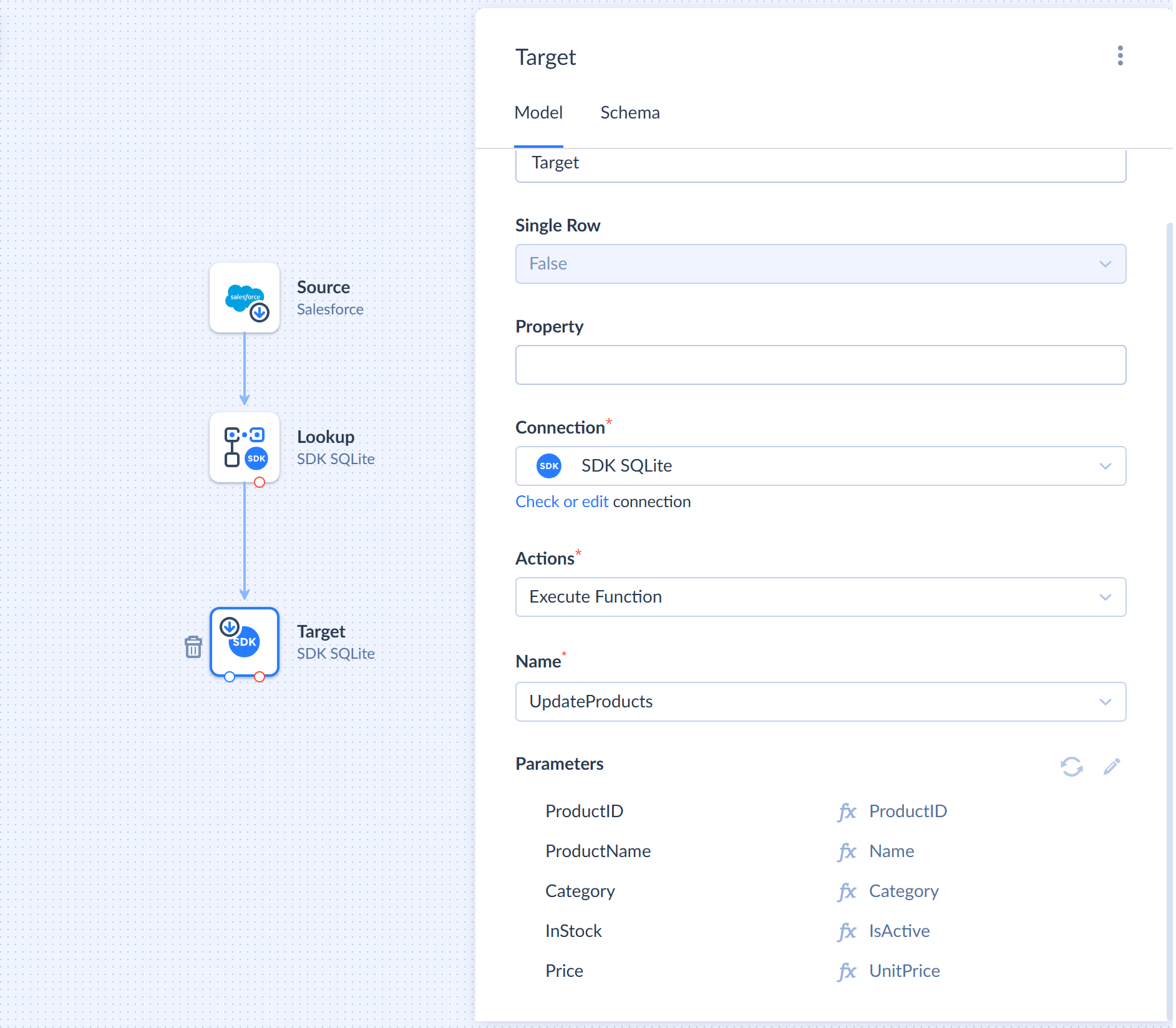
Requirements
The method must:
- be a public method of the provider class
- be marked with the ProviderActionType attribute with ActionType value including ProviderActionType.Target
- work in batch mode, which means that:
- method must have a special parameter parameters which is a collection of objects
- method returns a collection of objects
- the size of the output collection must be exactly the same as the size of the input one in order for Skyvia to match each record processing result record with each input record.
Method Signature
The method signature looks like the following:
1
Task<IEnumerable<TResult>> MethodName(IEnumerable<TParameter> parameters, CancellationToken cancellationToken)
Where:
- TParameter is a class that represents input parameters
- TResult is a class that represents the result of input record processing
Parameters
The method must have a special parameter parameters representing a collection of objects. Fields of the class represent the action parameters. You can use the Required attribute to mark the required parameters. For example:
1
2
3
4
5
6
7
8
9
10
11
12
public class InsertProductParameter {

    [Required]
    public string ProductName { get; set; }
    [Required]
    public string Category { get; set; }
    [Required]
    public bool InStock { get; set; }
    [Required]
    public double Price { get; set; }
}
Result
There must be a separate class for the method result, for example:
1
2
3
4
5
6
7
public class TargetResult
{
public long? Id { get; set; }
[Display("$$error$$")]
public string ErrorMessage { get; set; }
}
If the result has a string field, marked with the [Display("$$error$$")] attribute, this field has a special meaning for Skyvia. It is used to separate the failed and succeeded records. If this field has a value in the method result, the corresponding record is redirected to the Error Output of the Target component. Otherwise, the record goes to the Success Output. This allows processing the entire buffer of records and distributing them into correct outputs even when there are errors in some of the records.
Lookup Methods
Lookup methods are used in the Lookup component in Data Flow for looking for the data and enriching the input stream.
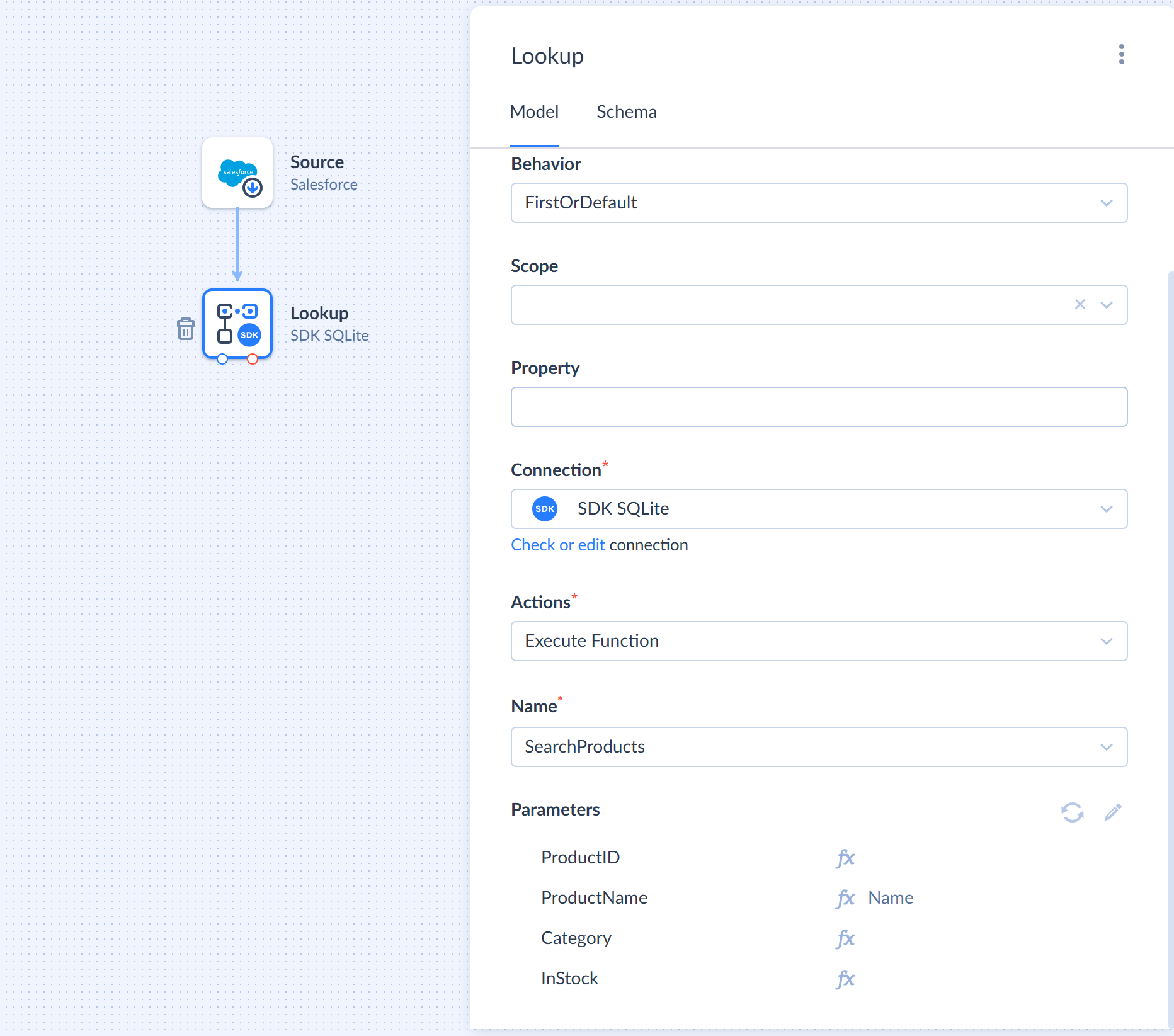
Requirements
The method must:
- be a public method of the provider class
- be marked with the ProviderActionType attribute with ActionType value including ProviderActionType.Lookup
- have the special parameters parameter that is a single object instance, not a collection
- return either a sinle instance of an object or a collection of objects
Method Signature
Here are examples of a typical method signature:
1
2
3
Task<IEnumerable<TResult>> MethodName(TParameter parameters, CancellationToken cancellationToken)
Task<TResult> MethodName(TParameter parameters, CancellationToken cancellationToken)
Where:
- TParameter is a class that represents input parameters
- TResult is a class that represents a record from the data source
Parameters
The method must have the special parameters parameter that is a single object instance, not a collection, or an instance of a simple type. Fields of the class represent the action parameters. You can use the Required attribute to mark the required parameters. For example:
1
2
3
4
5
6
7
8
public class SearchProductsRequest {
public long? ProductID { get; set; }
public string ProductName { get; set; }
[Required]
public string Category { get; set; }
public bool? InStock { get; set; }
}
Lookup method can have the parameter parameters of a simple type, for example:
1
Task<Product> GetProduct(long parameters, CancellationToken cancellationToken)
However, this is not recommended. Having a separate class for input parameters is better as it provides more flexibility for an SDK provider, allows working with parameters metadata, and makes the future method extending easier.
Result
There must be a separate class for the method result, for example:
1
2
3
4
5
6
7
8
public class Product {
public long ProductID { get; set; }
public string ProductName { get; set; }
public string Category { get; set; }
public bool InStock { get; set; }
public double Price { get; set; }
}
Action Methods
Action methods are used in the Action component in Control Flow and Automation integration. Such methods can be used both for selecting data from the data source as well as for atomic operations on one of the entities.
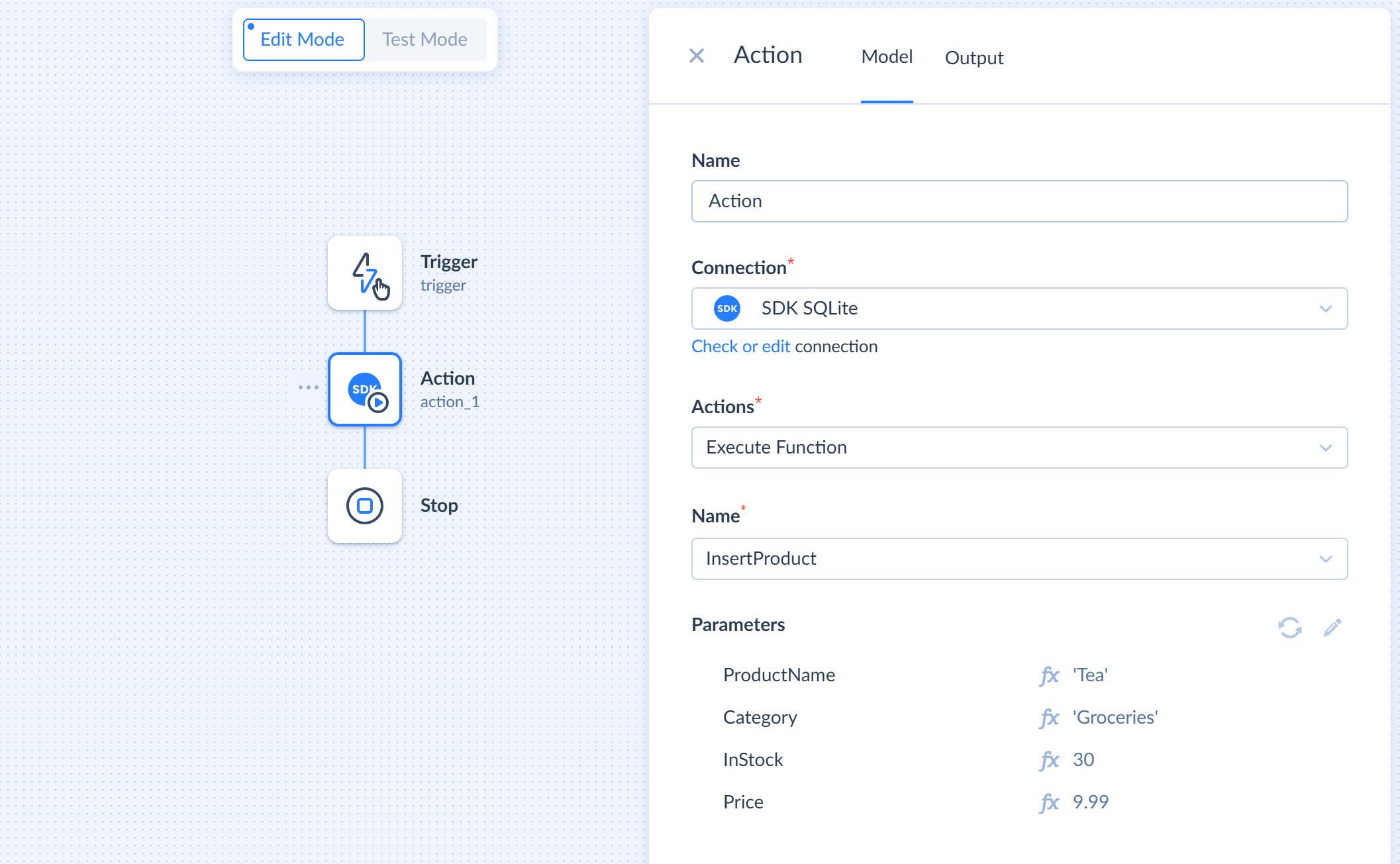
Requirements
The method must:
- be a public method of the provider class
- be marked with the ProviderActionType attribute with ActionType value including ProviderActionType.Action
- have either no parameters parameter or have such parameter as a single object instance, not a collection
- throw an exception in case of an error
Method Signature
Here are examples of a typical method signature:
1
2
3
4
5
6
7
8
Task MethodName(TParameter parameters, CancellationToken cancellationToken)
Task MethodName(CancellationToken cancellationToken)
Task<TResult> MethodName(TParameter parameters, CancellationToken cancellationToken)
Task<TResult> MethodName(CancellationToken cancellationToken)
Task<IEnumerable<TResult>> MethodName(TParameter parameters, CancellationToken cancellationToken)
Task<IEnumerable<TResult>> MethodName(CancellationToken cancellationToken)
Where:
- TParameter is a class that represents input parameters
- TResult is a class that represents a record from the data source
Parameters
The method can either have no special parameter parameters or have such a parameter of a single object type TParameter, not a collection. You can use the Required attribute to mark the required parameters.
TParameter type example:
1
2
3
4
5
6
public class SearchProductsRequest
{
public long? Id { get; set; }
[Required]
public string Category { get; set; }
}
Result
Depending on the purpose of the method, it may either return nothing, return an object, or a collection of objects. If it returns something, a separate class for the method result is required, for example:
1
2
3
4
5
6
7
8
public class Product {
public long ProductID { get; set; }
public string ProductName { get; set; }
public string Category { get; set; }
public bool InStock { get; set; }
public double Price { get; set; }
}