MYOB Business & AccountRight
Skyvia supports MYOB Business and MYOB AccountRight. MYOB Business is a cloud accounting platform with simple inventory, invoicing, and basic payroll features for small-to-medium businesses. MYOB AccountRight is a more advanced version, built for larger operations requiring complex inventory, multi-currency, and robust job tracking. The latter comes with cloud and hybrid options.
Data integration: Skyvia supports importing data to and from MYOB, exporting MYOB data to CSV files, replicating MYOB data to relational databases, and synchronizing MYOB data with other cloud apps and relational databases.
Backup: Skyvia Backup does not support MYOB backup.
Query: Skyvia Query supports MYOB.
Establishing Connection
To establish a connection to cloud MYOB AccountRight or Business, you need to sign in to MYOB. To establish a connection to a hybrid MYOB AccountRight instance, additionally, you need to specify the Base URL.
The objects mentioned in this topic are available in MYOB AccountRight. MYOB Business is a simplified version and some objects of MYOB AccountRight may not be available in MYOB Business.
Creating Connection
To connect to cloud MYOB AccountRight or Business, perform the following steps:
-
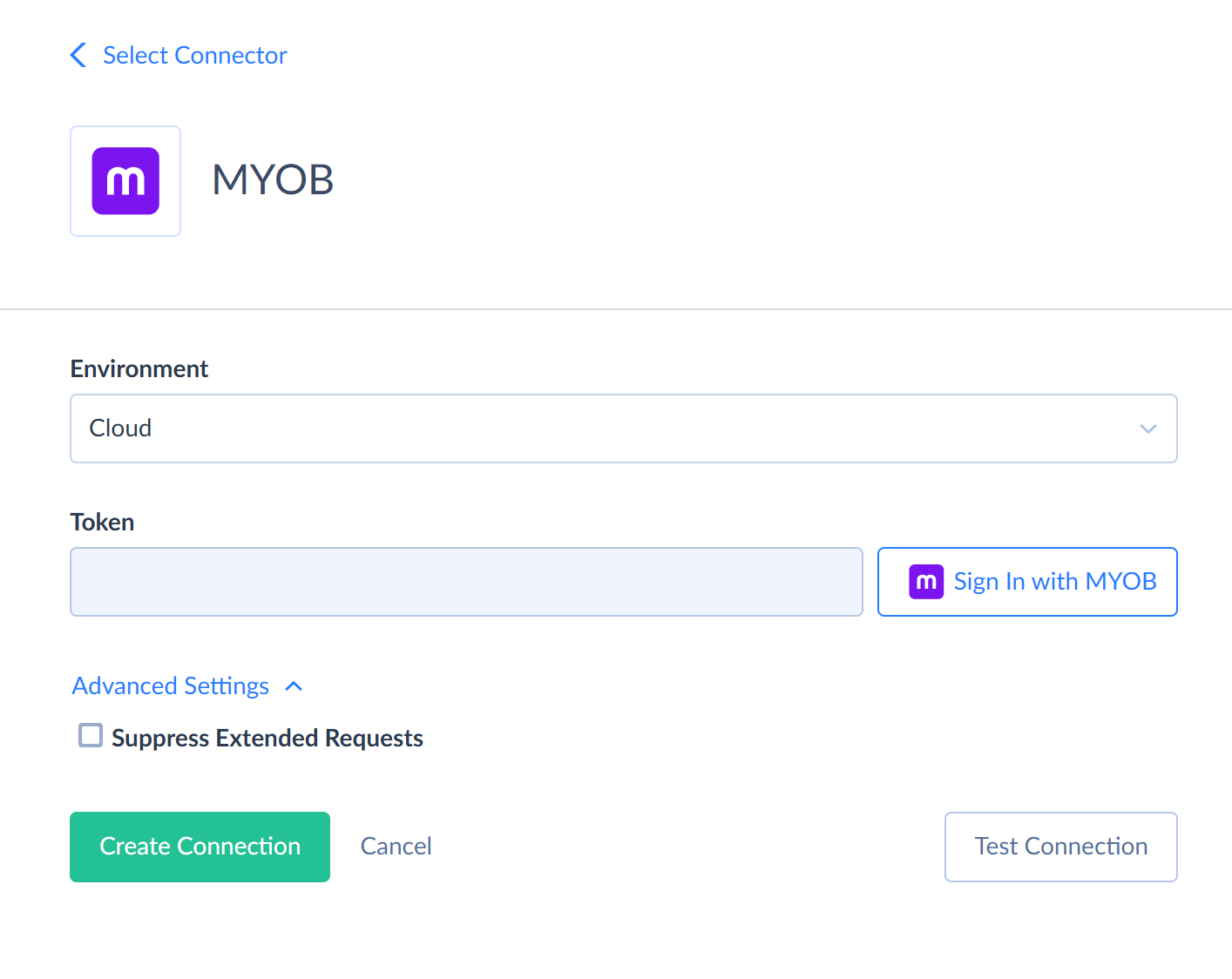
Click Sign In with MYOB in the Connection Editor.
-
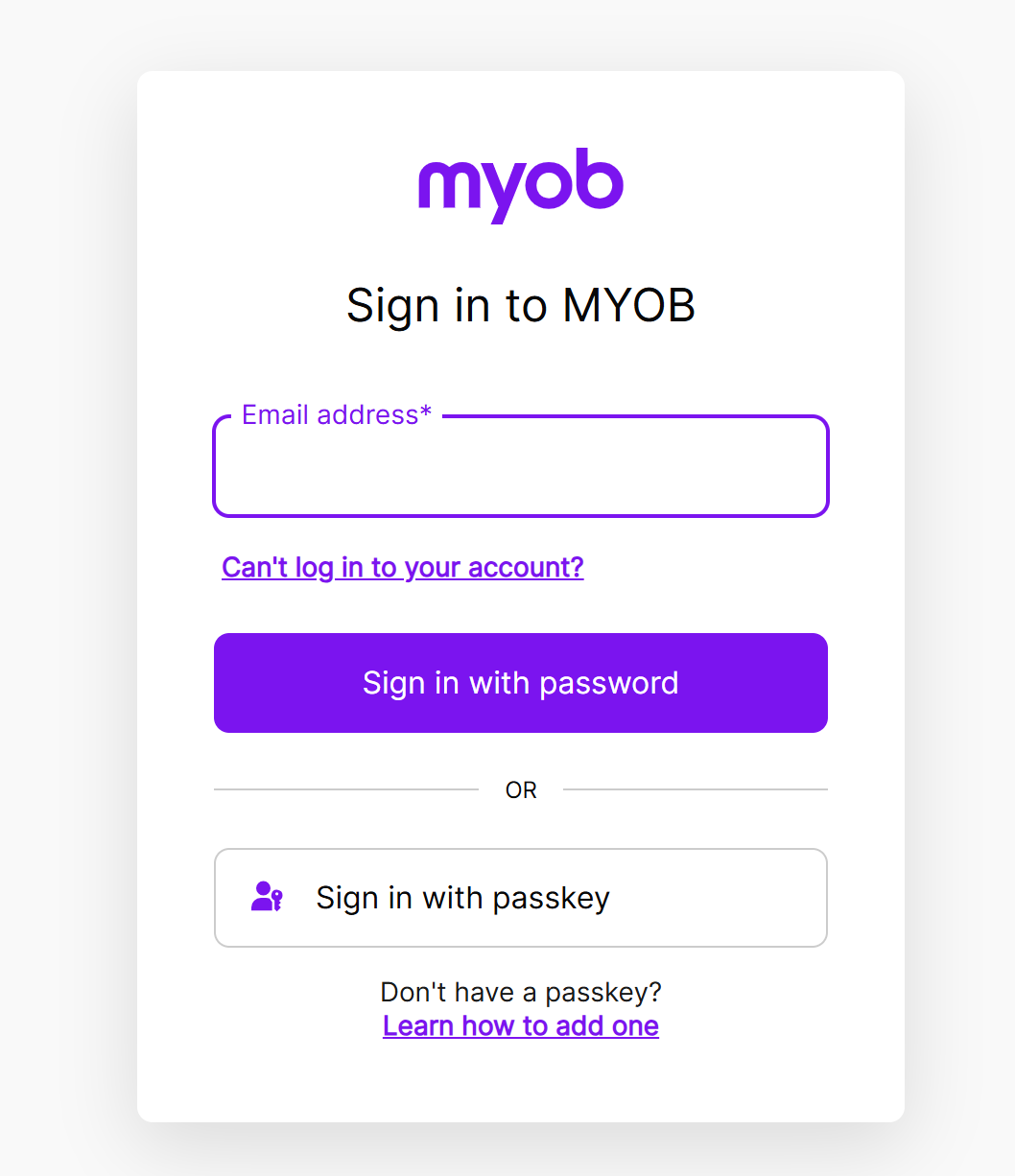
Sign in to MYOB.
-
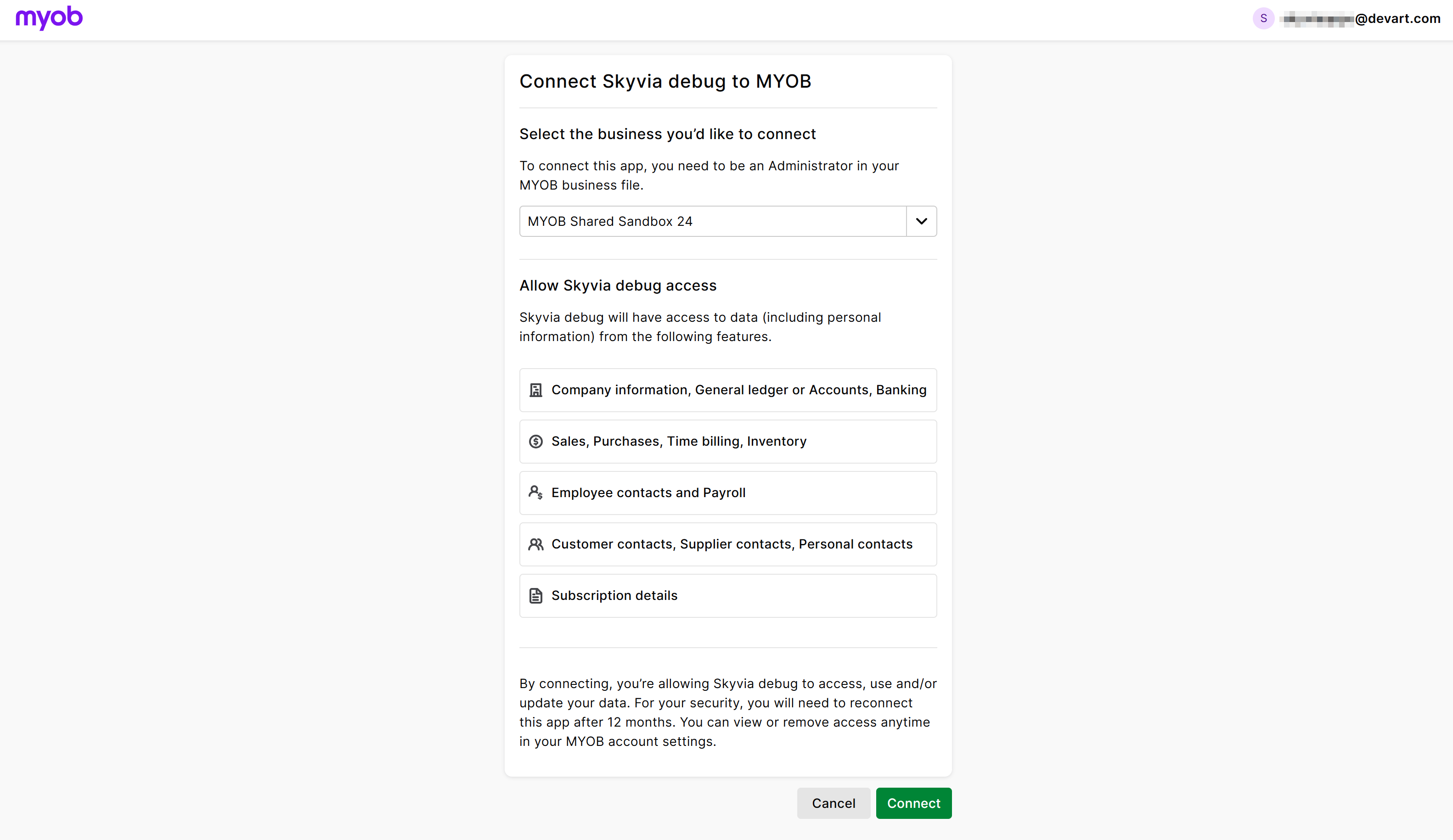
Click Connect.
Additional Connection Parameters
Suppress Extended Requests
MYOB API does not return the binary Photo field when querying multiple records. To query the values of this field, Skyvia performs additional extended requests for each record. However, this can decrease performance and significantly increase the number of API calls.
To reduce the number of API calls, select the Suppress Extended Requests checkbox. However, please note that the Photo field is returned empty.
Here is the list of objects with the Photo field: Contacts, Customers, Suppliers, Employees, Personal, InventoryItems.
Connector Specifics
Object Peculiarities
MYOB objects with the name ending with "Attachments" can be accessed only via their parent objects. For example, to query data from the BillItemAttachments object, MYOB API requires the id of the corresponding BillItem object.
Skyvia does not require id of the parent object from the user. If you don't specify the ids of the parent objects, Skyvia will query all parent object records and get their ids. Then, it will query child object records for each parent object record. This allows querying child objects without knowing their parents. However, this method takes a lot of time and consumes many API calls. It uses at least one API call for every parent object record, even if this record does not have any child records.
It is strongly recommended to use filters on the parent object fields when querying data from child objects. This limits the number of parent object records, for which child object data must be queried.
Custom Fields
The following MYOB objects have custom fields: Customers, Suppliers, Employees, Personal, InventoryItems. Each of them has three custom list fields, named Custom List #1, Custom List #2, and Custom List #3. These objects and the Contacts object also have three pairs of string fields CustomField1Label and CustomField1Value and so on.
Nested Objects
The connector includes objects with fields that store complex, structured data in JSON format. The Nested Objects mapping feature allows you to insert or update these nested values when configuring import. To enable it, select the Nested Objects checkbox in the Import Options.
MYOB connector has the following nested objects:
| Object | Field | Nested object |
|---|---|---|
| Contacts | Addresses | AddressesType |
| Identifiers | IdentifiersType | |
| Customers | Addresses | AddressesType |
| Identifiers | IdentifiersType | |
| Suppliers | Addresses | AddressesType |
| Identifiers | IdentifiersType | |
| Employees | Addresses | AddressesType |
| Identifiers | IdentifiersType | |
| EmployeePayrollDetails | WageWageCategories | EmployeePayrollDetailsWageCategoriesType |
| SuperannuationSuperannuationCategories | EmployeePayrollDetailsSuperannuationCategoriesType | |
| Entitlements | EmployeePayrollDetailsEntitlementsType | |
| Deductions | EmployeePayrollDetailsDeductionsType | |
| EmployerExpenses | EmployeePayrollDetailsEmployerExpensesType | |
| EmployeePaymentDetails | BankAccounts | EmployeePaymentDetailsBankAccountsType |
| EmployeeStandardPays | PayrollCategories | EmployeeStandardPayPayrollCategoriesType |
| Personal | Addresses | AddressesType |
| Identifiers | IdentifiersType | |
| AccountBudgets | Budgets | AccountBudgetBudgetsType |
| GeneralJournals | Lines | GeneralJournalLinesType |
| JobBudgets | Budgets | JobBudgetBudgetsType |
| JournalTransactions | Lines | JournalTransactionLinesType |
| InventoryItems | LocationDetails | InventoryItemLocationDetailsType |
| BillOfMaterialsItems | InventoryItemBillOfMaterialsItemsType | |
| InventoryItemPriceMatrices | SellingPrices | InventoryItemPriceMatrixSellingPricesType |
| InventoryAdjustments | Lines | InventoryAdjustmentLinesType |
| InventoryBuilds | Lines | InventoryBuildLinesType |
| CustomerPayments | Invoices | CustomerPaymentInvoicesType |
| CreditSettlements | Lines | CreditSettlementLinesType |
| InvoiceItems | Lines | InvoiceItemLinesType |
| InvoiceServices | Lines | InvoiceServiceLinesType |
| InvoiceProfessionals | Lines | ProfessionalLinesType |
| InvoiceTimeBillings | Lines | TimeBillingLinesType |
| InvoiceMiscellaneous | Lines | MiscellaneousLinesType |
| SaleOrderItems | Lines | SaleOrderItemLinesType |
| SaleOrderServices | Lines | SaleOrderServiceLinesType |
| SaleOrderProfessionals | Lines | ProfessionalLinesType |
| SaleOrderTimeBillings | Lines | TimeBillingLinesType |
| SaleOrderMiscellaneous | Lines | MiscellaneousLinesType |
| QuoteMiscellaneous | Lines | MiscellaneousLinesType |
| QuoteTimeBillings | Lines | TimeBillingLinesType |
| QuoteProfessionals | Lines | ProfessionalLinesType |
| QuoteServices | Lines | QuoteServiceLinesType |
| QuoteItems | Lines | QuoteItemLinesType |
| SupplierPayments | Lines | SupplierPaymentLinesType |
| DebitSettlements | Lines | DebitSettlementLinesType |
| BillItems | Lines | BillItemLinesType |
| BillServices | Lines | BillServiceLinesType |
| BillProfessionals | Lines | ProfessionalLinesType |
| BillMiscellaneous | Lines | MiscellaneousLinesType |
| PurchaseOrderItems | Lines | PurchaseOrderItemLinesType |
| PurchaseOrderServices | Lines | PurchaseOrderServiceLinesType |
| PurchaseOrderProfessionals | Lines | ProfessionalLinesType |
| PurchaseOrderMiscellaneous | Lines | MiscellaneousLinesType |
| SpendMoneyTransactions | Lines | TransactionLinesType |
| ReceiveMoneyTransactions | Lines | TransactionLinesType |
| Statements | SourceTransactions | StatementSourceTransactionsType |
| Wages | Exemptions | WageExemptionsType |
| Entitlements | LinkedPayrollCategoryWages | EntitlementLinkedPayrollCategoryWagesType |
| Exemptions | EntitlementExemptionsType | |
| Deductions | Exemptions | DeductionExemptionsType |
| Expenses | Exemptions | ExpenseExemptionsType |
| Superannuations | Exemptions | SuperannuationExemptionsType |
| Timesheets | Lines | TimesheetLinesType |
| CustomLists | Values | CustomListValuesType |
| EmployeePayrollAdviceReport | Lines | EmployeePayrollAdviceReportLinesType |
| JournalTransactionHistoryReport | Lines | JournalTransactionHistoryReportLinesType |
| AccountBudgetBudgetsType | MonthlyBudgets | AccountBudgetBudgetsMonthlyBudgetsType |
| TimesheetLinesType | Entries | TimesheetLinesEntriesType |
DML Operations Support
Note that the UPDATE operation for MYOB does not assign NULL values to the fields. Such values are ignored, and the old values are preserved.
| Operation | Object |
|---|---|
| INSERT, UPDATE, DELETE | Customers, Suppliers, Employees, Personal, Accounts, GeneralJournals, Jobs, JobBudgets, TaxCodes, InventoryItems, InventoryAdjustments, InventoryBuilds, CreditSettlements, CreditRefunds, InvoiceItems, InvoiceServices, InvoiceProfessionals, InvoiceTimeBillings, InvoiceMiscellaneous, SaleOrderItems, SaleOrderServices, SaleOrderProfessionals, SaleOrderTimeBillings, SaleOrderMiscellaneous, QuoteItems, QuoteServices, QuoteProfessionals, QuoteTimeBillings, QuoteMiscellaneous, SupplierPayments, DebitSettlements, DebitRefunds, BillItems, BillServices, BillProfessionals, BillMiscellaneous, PurchaseOrderItems, PurchaseOrderServices, PurchaseOrderProfessionals, PurchaseOrderMiscellaneous, SpendMoneyTransactions, ReceiveMoneyTransactions, TransferMoneyTransactions, Wages, Activities, ActivitySlips |
| INSERT, DELETE | CustomerPayments, CreditSettlements, CreditRefunds, BillItemAttachments, BillServiceAttachments, BillProfessionalAttachments, BillMiscellaneouAttachments, SpendMoneyAttachments |
| UPDATE | EmployeePayrollDetails, EmployeePaymentDetails, EmployeeStandardPays, AccountBudgets, InventoryItemPriceMatrices, Timesheets |
Filtering Specifics
MYOB API supports the following native filters for all the objects except the *Attachments objects.
| Field Type | Operator |
|---|---|
| Integer, Long, Decimal, Double, DateTime | =, >, >=, <, <= |
| Boolean, Picklist, Guid | = |
| String key fields - *DisplayID, *ABN, *Number | = |
For other string fields, native filtering is not available.
Use these filters to improve performance and save API calls. You can use filters with other fields or operators, but it may increase API call usage.
Incremental Replication and Synchronization
Skyvia supports Synchronization for the following MYOB objects: Customers, Suppliers, Employees, Personal, Accounts, Jobs, TaxCodes, InventoryItems, InvoiceItems, InvoiceServices, InvoiceProfessionals, InvoiceTimeBillings, InvoiceMiscellaneous, SaleOrderItems, SaleOrderServices, SaleOrderProfessionals, SaleOrderTimeBillings, SaleOrderMiscellaneous, QuoteItems, QuoteServices, QuoteProfessionals, QuoteTimeBillings, QuoteMiscellaneous, Activities, ActivitySlips.
Skyvia suports Replication with Incremental Updates for the following MYOB objects: Contacts, Invoices, SalesOrders, Quotes, Customers, Suppliers, Employees, Personal, Accounts, Jobs, TaxCodes, InventoryItems, InvoiceItems, InvoiceServices, InvoiceProfessionals, InvoiceTimeBillings, InvoiceMiscellaneous, SaleOrderItems, SaleOrderServices, SaleOrderProfessionals, SaleOrderTimeBillings, SaleOrderMiscellaneous, QuoteItems, QuoteServices, QuoteProfessionals, QuoteTimeBillings, QuoteMiscellaneous, Activities, ActivitySlips.
Supported Actions
Skyvia supports all the common actions for MYOB.