Odoo
Odoo is an open-source suite of business applications for customer relationship management, e-commerce, accounting, inventory, and manufacturing management.
Data integration: Skyvia supports importing data to and from Odoo, exporting Odoo data to CSV files, replicating Odoo data to relational databases, and synchronizing Odoo data with other cloud apps and relational databases.
Backup: Skyvia Backup does not support Odoo.
Query: Skyvia Query supports Odoo.
Establishing Connection
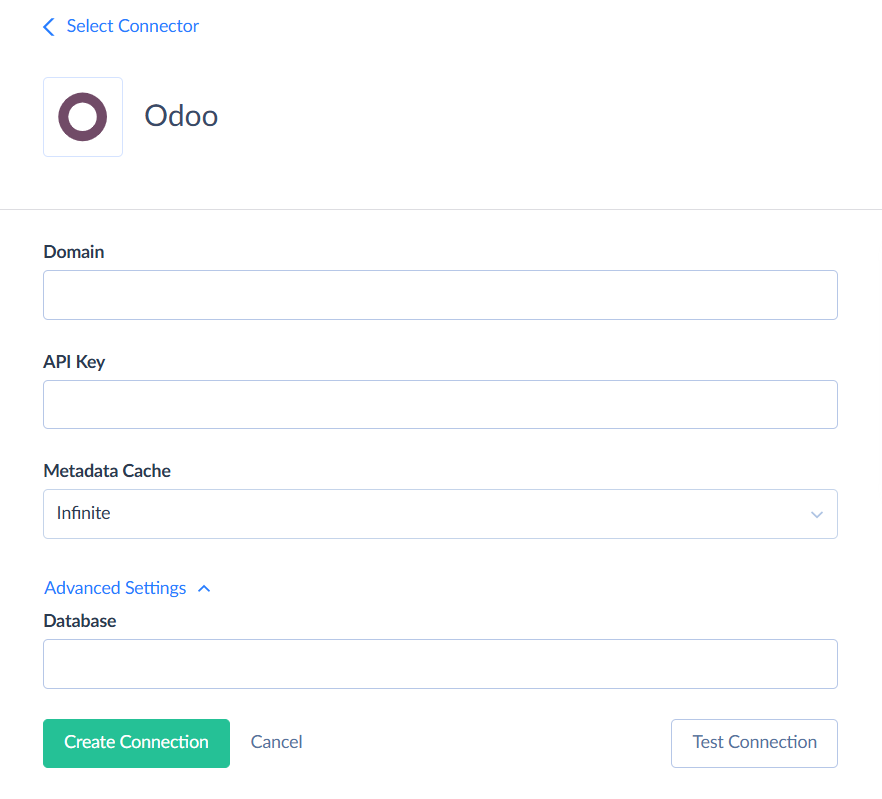
To create a connection to Odoo, specify the Domain and the API Key of your Odoo database.
Getting Credentials
API Key
To get the API Key, perform the following steps:
-
Sign in to Odoo and click the avatar icon in the top right corner.
-
Choose My Databases.
-
Click Connect next to the database you want to connect to.
-
Click the avatar icon in the top right corner again and choose My Preferences.
-
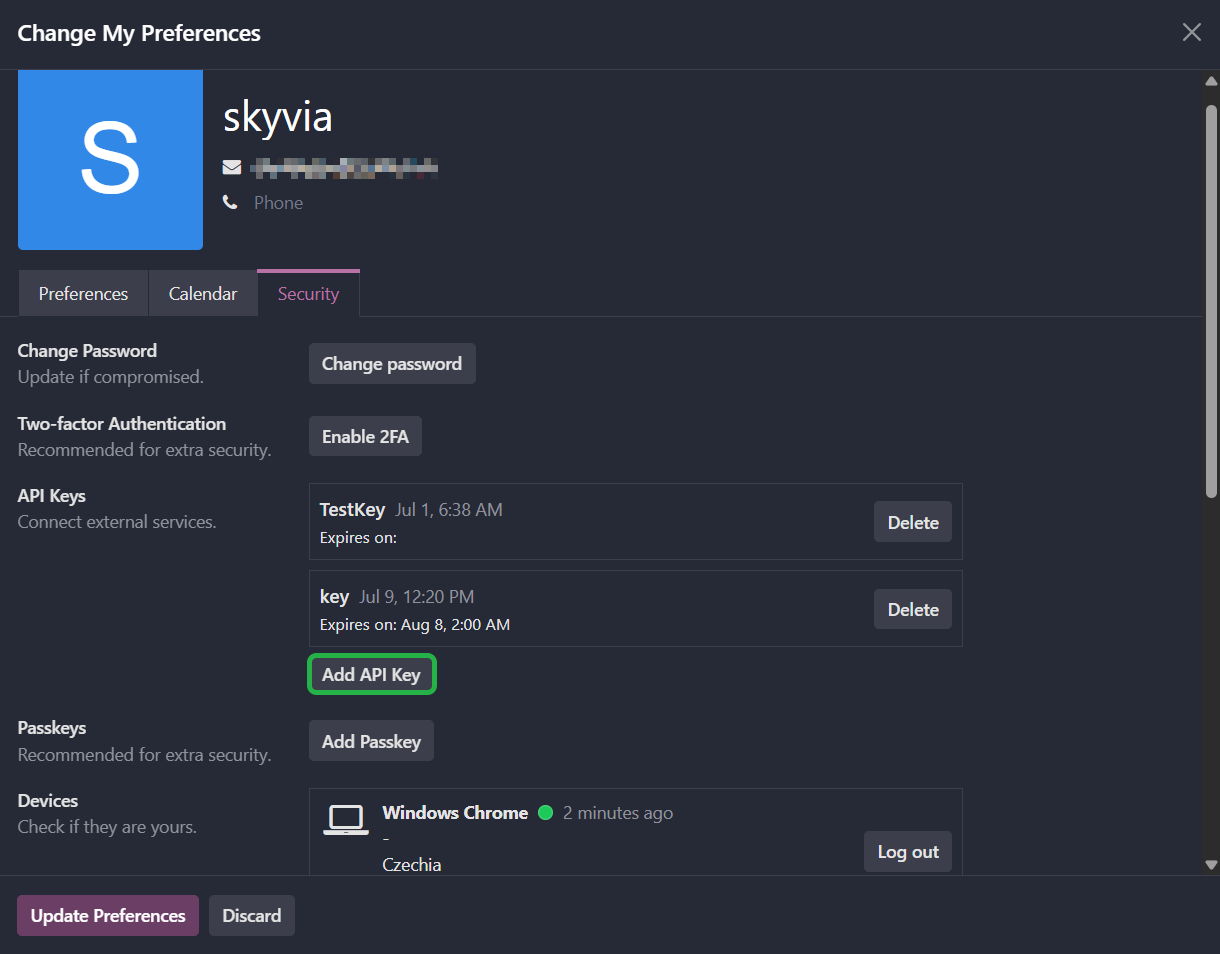
Switch to the Security tab.
-
In the API Keys section, click Add API Key, give it a name, and copy the generated key.
Domain
To get the domain URL, perform the following steps:
-
Click the avatar icon in the top right corner and select My Databases.
-
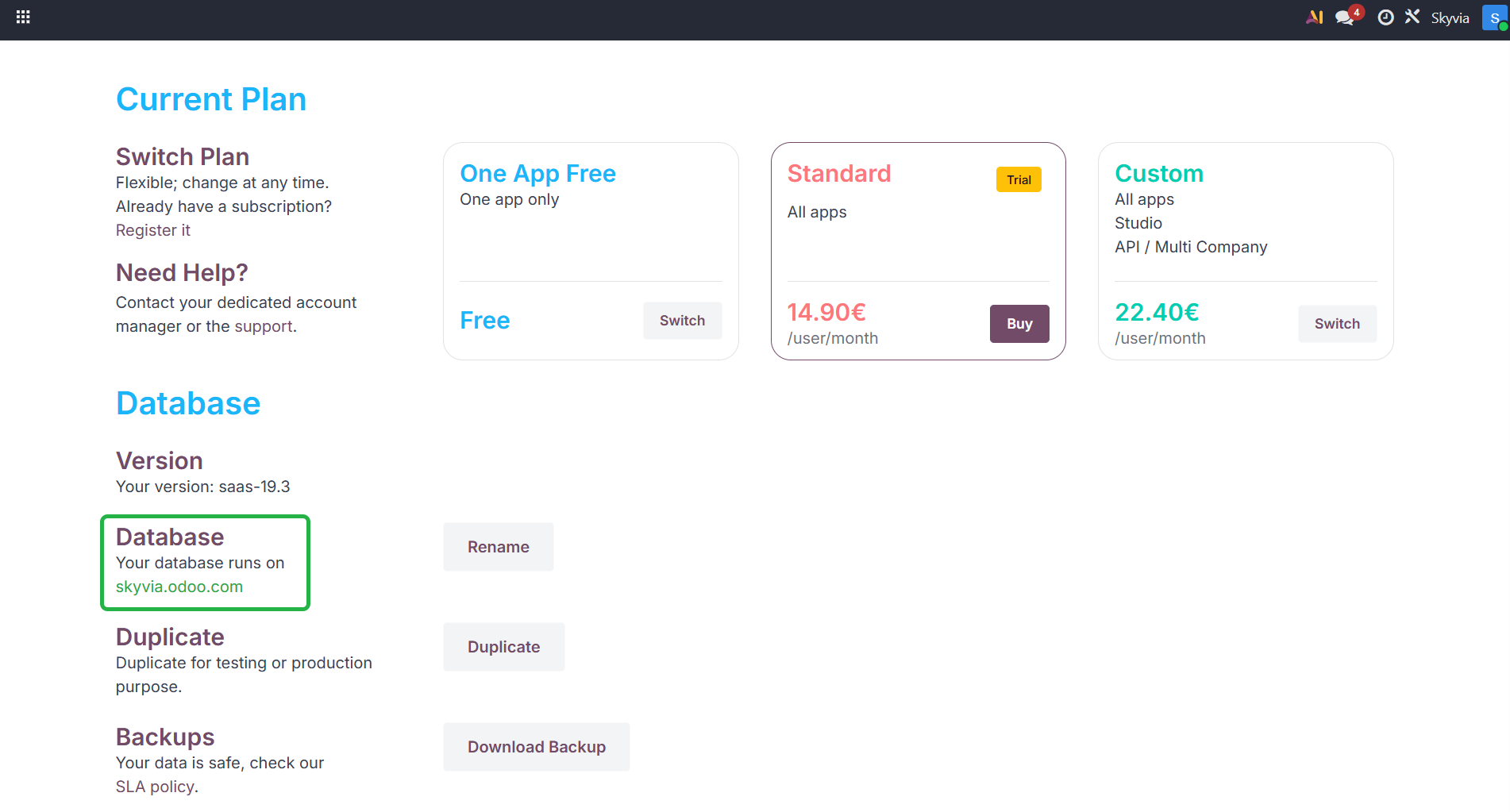
Click the gear icon next to the database and choose Manage.
-
Scroll down to the Database section. Copy the domain your database runs on, for example company.odoo.com.
Creating Connection
To connect to Odoo, specify the obtained Domain and API Key.
Additional Connection Parameters
Metadata Cache
You can specify the period after which Metadata Cache expires.
Database
Specify the name of the database to connect to. Use this parameter if the database name differs from the instance address or when there are multiple databases on one domain.
Connector Specifics
Object Peculiarities
Odoo doesn't have a fixed list of objects. Skyvia loads the list of available objects from your Odoo instance when you create the connection, so the objects available to you depend on the installed Odoo apps and modules and on your user permissions.
Many2one Fields
Skyvia splits each Many2one field into two fields:
- <FieldName> — an integer field that stores the related record ID.
- <FieldName> Plain Text — a read-only text field that stores the display name of the related record.
Binary Fields
When inserting or updating records with binary fields (for example, file attachments), keep the total size of binary data in a single record under 45 MB. Records that exceed this may fail with a 413 Request Entity Too Large error.
If a binary field has a text field with the _filename suffix, Skyvia shows it as a separate <FieldName> File Name field.
Read-only Fields
The following field types are read-only: One2many, Many2many, Many2one Reference, Json, Properties, Properties Definition, and Vector.
Filtering Specifics
Odoo natively supports combining filters with the AND and OR operators.
Fields of the Binary, One2many, Many2many, Reference, Many2one Reference, Json, Properties, and Properties Definition types support only the IsNull and IsNotNull filter operations.
The Vector type doesn't support filtering.
Incremental Replication and Synchronization
Skyvia supports Replication with Incremental Updates for Odoo objects that have the Last Updated on or Created on field. For objects with only the Created on field, Skyvia replicates only new records.
Skyvia supports Synchronization for objects that support the INSERT and UPDATE operations and have the Last Updated on or Created on fields.
Supported Actions
Skyvia supports all the common actions for Odoo.