SDK Connector
SDK connector allows you to use custom providers, developed in .NET, to connect to any data source. These providers perform all the actions necessary to connect, read and write the data in it, or perform other custom actions.
Skyvia provides SDK to develop these custom providers - a set of .NET base classes and attributes. You create providers as .NET classes inherited from the base SDKProvider class, implement the provider methods and compile them into .NET assemblies. Then you place them into the folder, where Skyvia Agent is installed. Skyvia Agent loads them and executes the code when Skyvia uses the connector.
Since all the user code is run on a computer with the agent installed, and not in Skyvia's infrastructure, Skyvia service remains isolated and secure, while allowing users to extend the list of supported data sources by creating fully custom connectors.
Development
Skyvia provides SDK with the Devart.Skyvia.Providers.SDK assembly, which contains the base connector class SDKProvider and all the necessary base classes and attributes for custom SDK connector development. These SDK types are located in the Devart.Skyvia.Providers.SDK namespace.
To create your own provider, implement a .NET class, inherited from the base SDKProvider class. Implement methods of this class that will be available on Skyvia in the Execute Function action and mark them with the ProviderMethod attribute. This attribute has the ActionType argument that specifies whether the method can be used in Source, Lookup, or Target components of the Data Flow and in the Action component of Control Flow and Automation. Depending on the ActionType values, method have specific requirements to its signature.
Read the Provider Architecture topic for the information on these requirements and details about the architecture of SDK connector providers.
Deployment
Put the compiled assembly with your provider to the folder with the Skyvia Agent installed. When the agent starts, it looks for SDKProvider descendant classes in the assemblies in its folder and creates a list of them. You can select a provider from this list when creating an SDK connection on Skivia via this agent.
Specifics
SDK connector does not present a data source data as a set of objects. Instead it provides the Execute Function action that allows running the provider class methods, marked with the ProviderMethod attribute.
You can use connections created with SDK connector in the following Skyvia products::
- Data Integration - in Data Flow and Control Flow integrations, and as a source in Import and Export integrations, in the Advanced mode
- Automation
Creating SDK Connector Connections
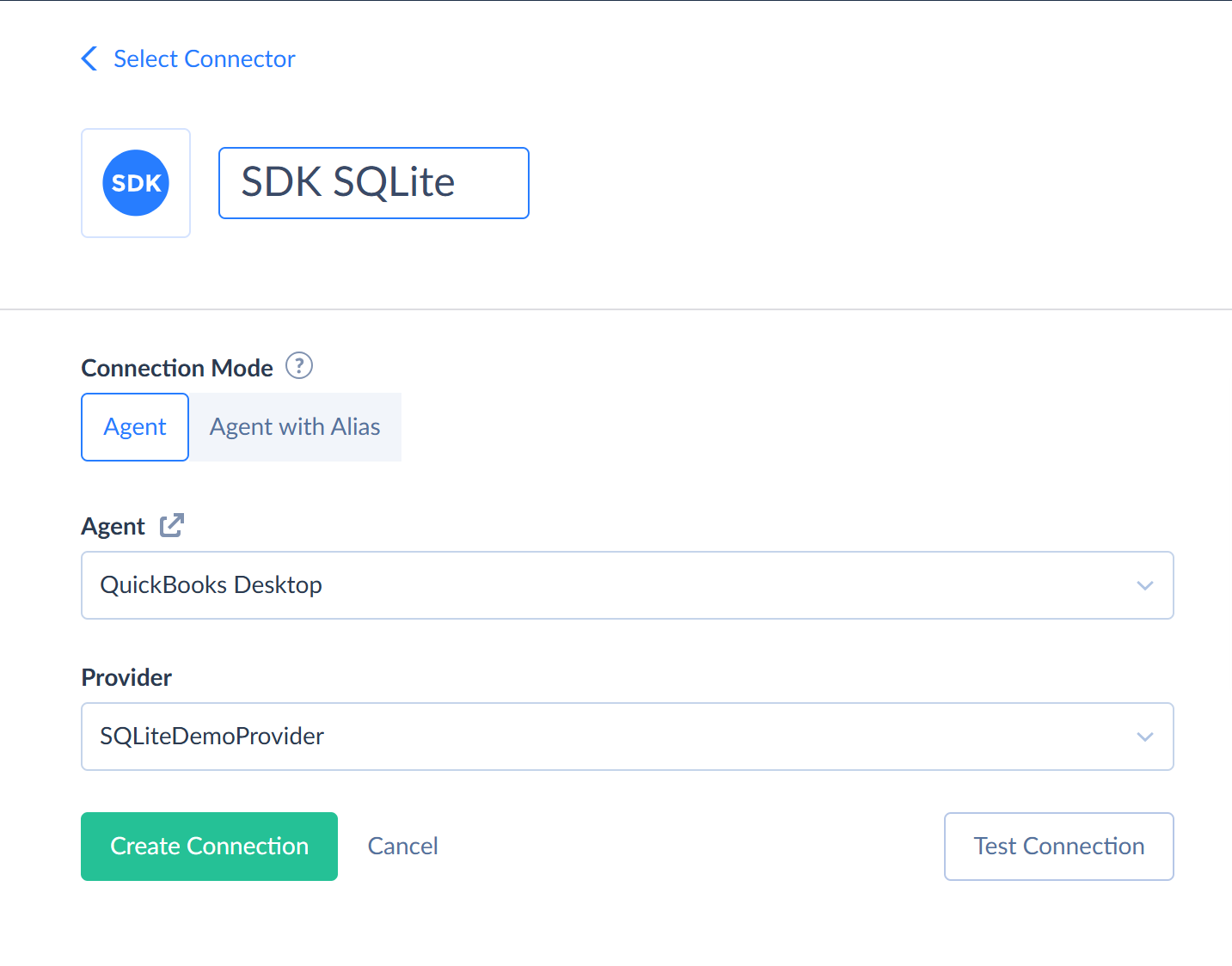
To create a connection using the SDK connector, perform the following steps:
- Click + Create New and then select Connection.
- Select the SDK connector.
- Select the agent.
- Select the Provider.
Using SDK Connector Connections
You can use the created connections in Data Integration or Automation products:
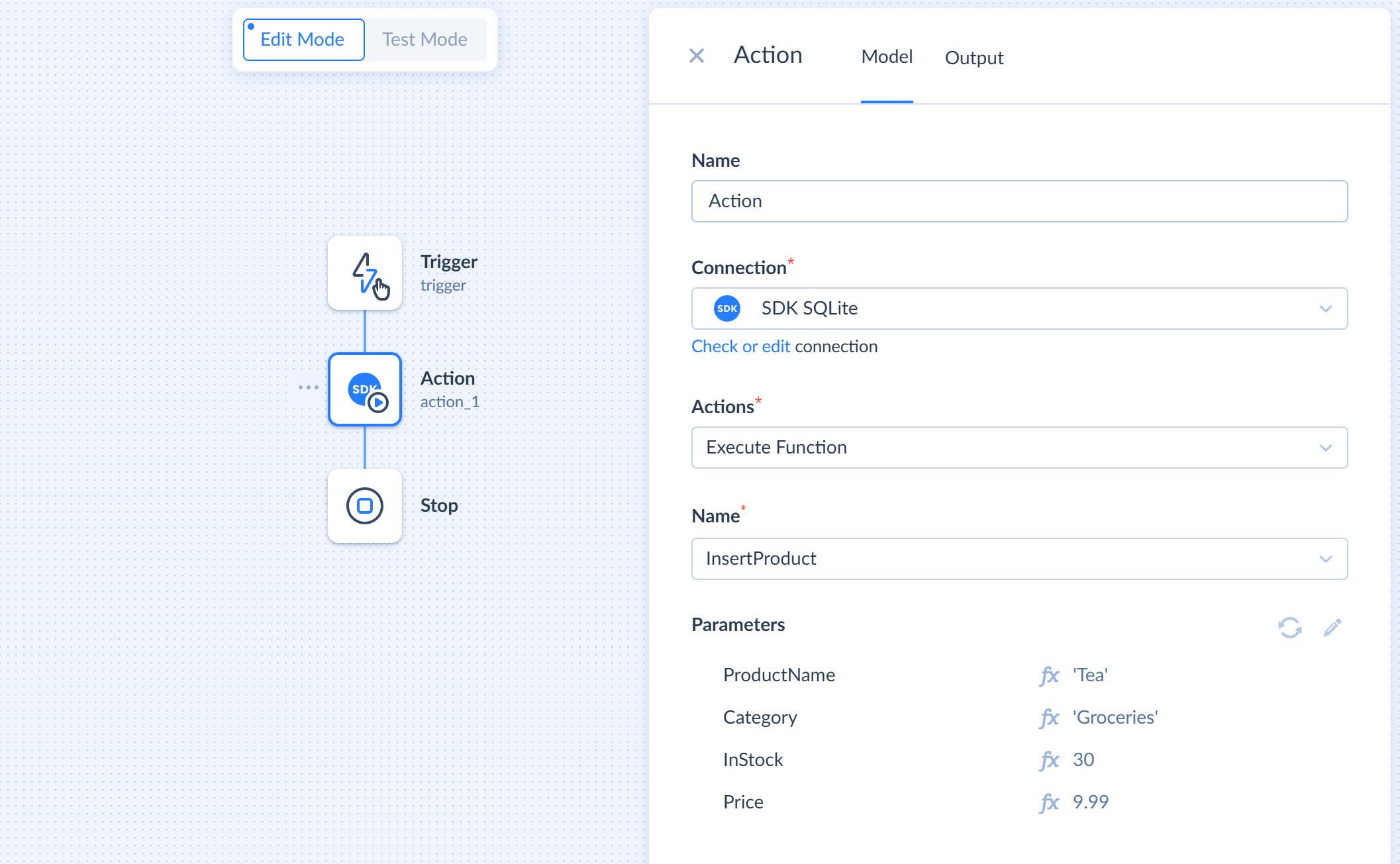
- In the corresponding component (Source, Lookup, or Target in a data flow or Action in an automation or control flow), select the corresponding SDK connection.
- In the Actions box, select the Execute Command action.
- In the Name box, select the method you want to use.
- If the method has parameters, map the the method parameters.
Samples
Skyvia offers two sample SDK connector providers:
- SQLiteDemoProvider - a demo SDK connector provider that works with a local SQLite database.
- FakeStoreDemoProvider - a demo SDK connector provider that works with FakeStore REST API service.