June 2026
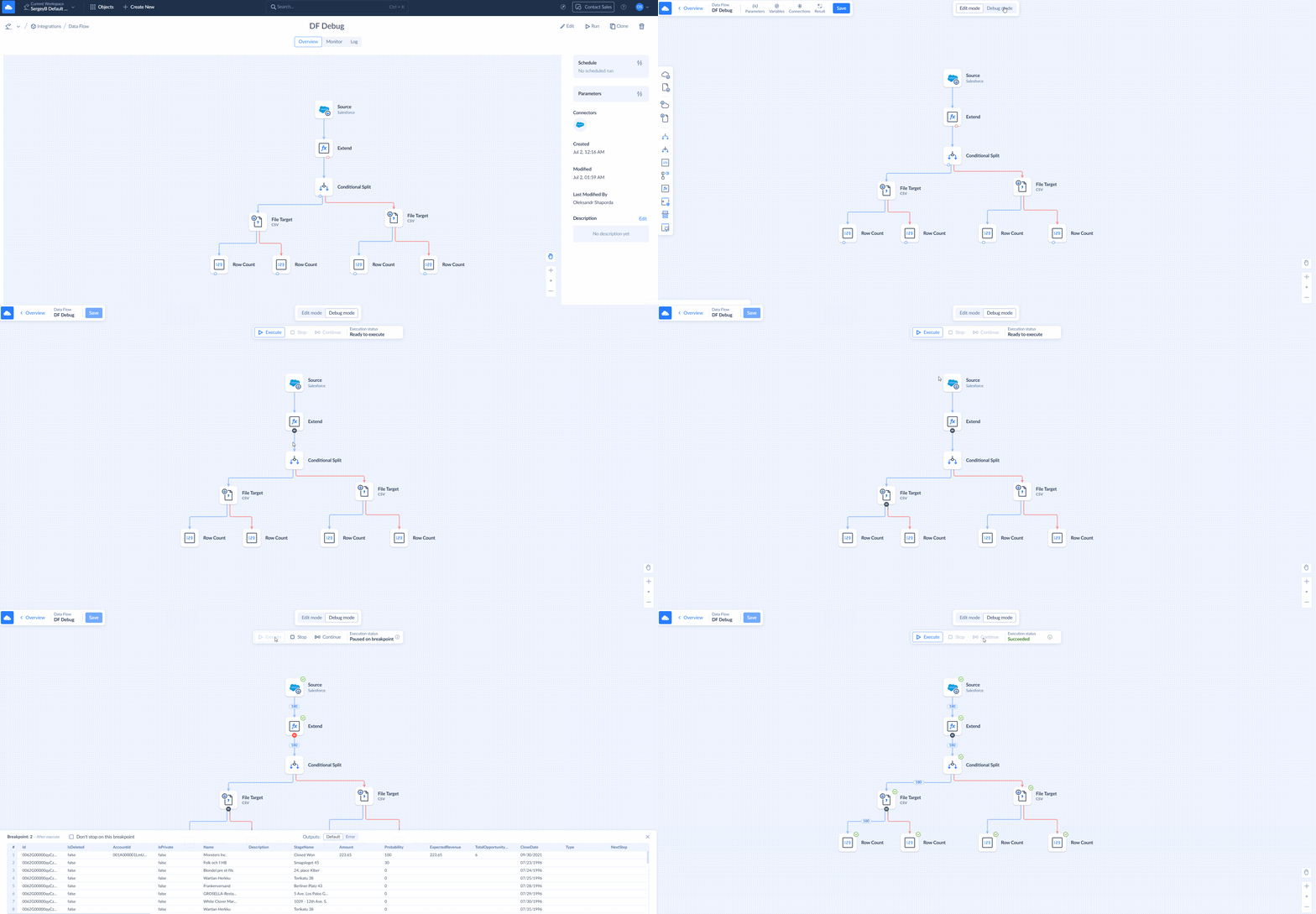
Data Flow: Debug Mode
Data Flow now includes a Debug mode that lets you set breakpoints on component outputs, check the component states,number of processed records, and inspect output data. This helps you locate errors and monitor how data changes at each stage of the data flow.
SDK Connector
Skyvia now supports the SDK Connector, which lets you create custom .NET providers for data sources that are not supported out of the box.
We have added SDK connector that allows you to create custom .NET providers to connect to any data source. The providers, compiled to .NET assemblies, are then placed to the folder, where Skyvia Agent is installed. Skyvia Agent loads them and executes the code when Skyvia uses the connector.
Since all the user code is run on a computer with the agent installed, and not in Skyvia's infrastructure, Skyvia service remains isolated and secure, while allowing users to extend the list of supported data sources by creating fully custom providers.
Account Security
We added an extra layer of security to your account:
- IP filtering allows access to your account only for specific IP addresses.
- 2FA requires users to have two-factor authentication (2FA) enabled to access your account.
See more details in Security topic.
New File Formats Available in Data Flow: Avro and Parquet
Data Flow now supports Avro and Parquet files as source and target. Additionally, the CSV Source, CSV Target, and JSON Target have been merged into two new components:
- File Source — supports CSV, Avro, and Parquet.
- File Target — supports CSV, JSON, Avro, and Parquet.
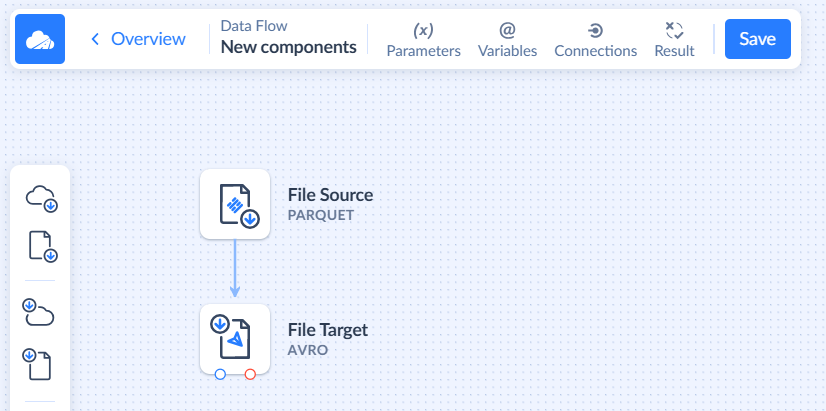
You can learn more about these components by following the links above.
Redesigned Automations List
We updated how Automation object tiles look. You can now see the trigger type when using Grid View. In all views, you can check the current state and whether an automation is enabled.
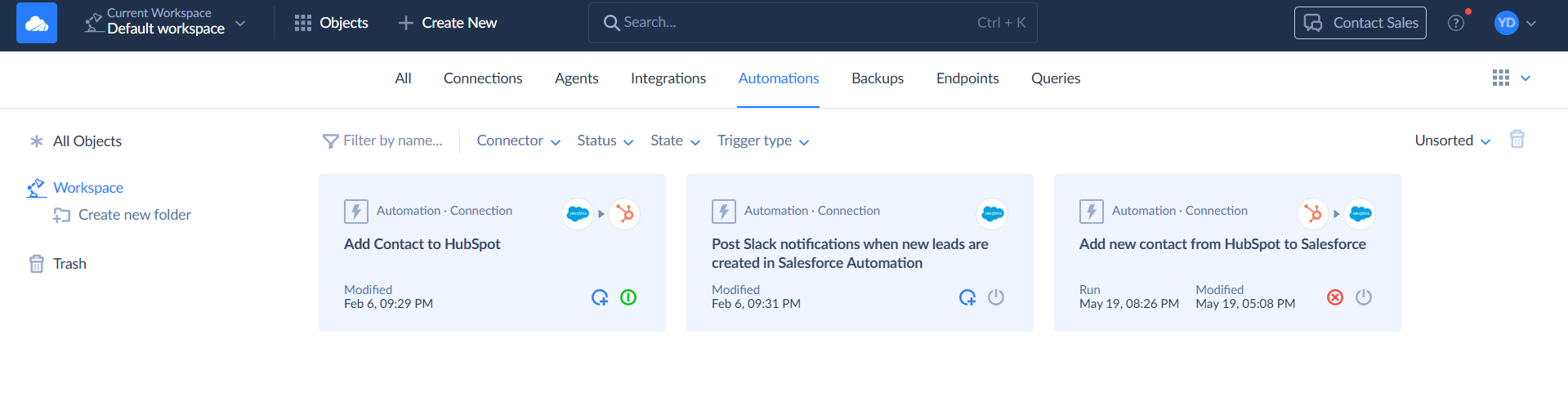
We also added filters for Status, State, and Trigger Type, plus a new sorting control.
Trim Whitespaces for CSV Import
We added a new CSV option that trims the leading and trailing spaces in the CSV file if enabled. See more details in How to Create Import Task topic.
New Connectors
MYOB — a cloud-based accounting platform for small and medium businesses. MYOB connector supports both MYOB Business and MYOB AccountRight.
Zoom — a cloud-based communications platform for video meetings, webinars, team chat, online collaboration, and recordings.
Connector Updates
Asana
New PortfolioStatusUpdates object is now available in the connector.
We added CompletedBy_ResourceType and CompletedBy_Gid fields to the Tasks object. And we added the CompletedBy_Gid, CompletedBy_ResourceType, CompletedBy_Name fields to the Projects object.
Learn more about this connector in Asana topic.
GitHub
We added read-only objects for working with organization repositories: AuthenticatedUserOrganizations, OrganizationRepositories, OrganizationRepositoryComments, OrganizationRepositoryCommits, OrganizationRepositoryContents, OrganizationRepositoryLabels, OrganizationRepositoryTags, OrganizationRepositoryTeams, OrganizationRepositoryTopics, OrganizationRepositoryProjects, OrganizationRepositoryFork, OrganizationRepositoryContributors, OrganizationRepositoryMilestones, OrganizationRepositoryPullRequests, OrganizationRepositoryIssues, and OrganizationRepositoryIssueComments.
Replication with Incremental Updates is available for OrganizationRepositories, OrganizationRepositoryComments, OrganizationRepositoryProjects, OrganizationRepositoryFork, OrganizationRepositoryMilestones, OrganizationRepositoryPullRequests, OrganizationRepositoryIssues, and OrganizationRepositoryIssueComments.
Learn more in the GitHub topic.
SharePoint Files
You can now use file masks in Import integrations with a SharePoint Files connection.
Learn more about this connector in the SharePoint Files topic.
Stripe
We have changed types for a number of PaymentIntents object fields from int32 to int64. The list of the affected fields is the following: Amount, AmountCapturable, AmountReceived, ApplicationFeeAmount, AmountDetails_Tip_Amount, AmountDetails_DiscountAmount, AmountDetails_Tax_TotalTaxAmount.
Learn more about this connector in Stripe topic.