Recharge
Recharge is a subscription payment platform for merchants to set up and manage dynamic recurring billing across web and mobile.
Data integration: Skyvia supports importing data to and from Recharge, exporting Recharge data to CSV files, replicating Recharge data to relational databases, and synchronizing Recharge data with other cloud apps and relational databases.
Backup: Skyvia Backup does not support Recharge.
Query: Skyvia Query supports Recharge.
Establishing Connection
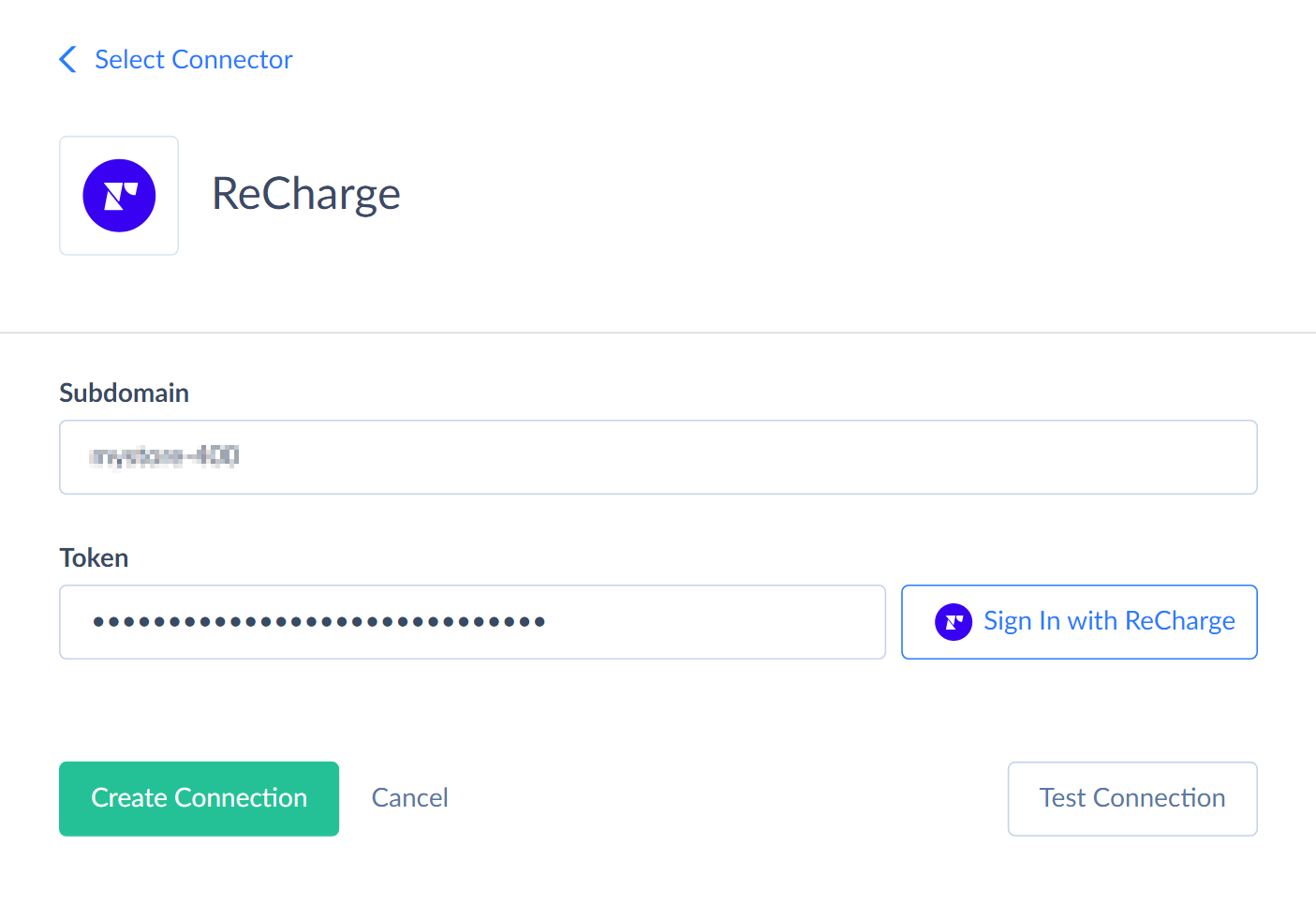
To create a connection to Recharge, specify the Subdomain and sign in with Recharge via OAuth 2.0.
Creating Connection
To connect to Recharge, perform the following steps:
-
Enter your Subdomain.
If you use a BigCommerce custom domain and the connection fails, enter your primary domain (for example, yourdomain.com) as the Subdomain.
-
Click Sign In with Recharge.
-
Enter your Recharge login credentials.
-
Authorize Skyvia to access your data.
Connector Specifics
Object Peculiarities
Metafields
Each object that supports metafields (Store, Customers, Subscriptions, and others) has a corresponding object (StoreMetafields, CustomerMetafields, and others) that lets you work with metafields directly.
Incremental Replication and Synchronization
Skyvia supports Replication with Incremental Updates for all Recharge objects except CustomerDeliverySchedules, Products, and Webhooks.
Skyvia supports Synchronization for all Recharge objects except CustomerDeliverySchedules, Charges, Orders, Products, Store, and Webhooks.
DML Operations Support
| Operation | Object |
|---|---|
| INSERT, UPDATE, DELETE | Addresses, ChargeMetafields, CustomerMetafields, Customers, Collections, Discounts, Onetimes, OrderMetafields, Plans, Products, StoreMetafields, SubscriptionMetafields, Subscriptions, Webhooks |
| UPDATE, DELETE | Orders |
Stored Procedures
Skyvia represents part of the supported Recharge features as stored procedures. You can call a stored procedure, for example, as a text of the command in the ExecuteCommand action in a Target component of a Data Flow or in Query.
SendNotifications
Use the following command to send notifications to a specific customer.
call SendNotifications(:customer_id, :type, :template_type, :template_vars)
| PARAMETER NAME | DESCRIPTION |
|---|---|
| Customer_id | The specific customer identifier |
| Type | The only possible value is email |
| Template_type | Defines the type of notification template. Valid values are upcoming_charge and get_account_access. |
| Template_vars | An object containing the necessary template variables for specific email template type: The address_id associated with the indicated customer and the notification object. The charge_id of the Charge for which the notification should be sent. For example {"address_id":1234567890, "charge_id":9876543210}. |
CloneOrder
To clone the specific order, use the following command.
call CloneOrder(:order_id, :scheduled_at)
| PARAMETER NAME | DESCRIPTION |
|---|---|
| Order_id | The order identifier |
| Scheduled_at | Date in future when this order will be sent |
ApplyDiscount
To apply a discount to an existing charge, use the following command.
call ApplyDiscount(:charge_id, :discount_code, :discount_id)
RemoveDiscount
To remove a discount from a specific charge, use the following command.
call RemoveDiscount(:charge_id)
SkipCharge
To skip a charge for a specific item or subset of items, use the following command.
call SkipCharge(:charge_id, :subscription_ids)
| PARAMETER NAME | DESCRIPTION |
|---|---|
| Charge_id | The charge identifier |
| Subscription_ids | The identifier or identifiers of the charge items in the array format. For example, ["12345678"] |
UnskipCharge
To cancel skipping a charge for a specific item or subset of items, use the following command.
call UnskipCharge(:charge_id, :subscription_ids)
RefundCharge
To apply a refund to a Charge, use the following command.
call RefundCharge(:charge_id, :amount, :full_refund)
| PARAMETER NAME | DESCRIPTION |
|---|---|
| Charge_id | The charge identifier |
| Amount | The amount of money to refund |
| Full_refund | Accepts true or false. |
After the refund, the Charge will have the status parameter REFUNDED or PARTIALLY_REFUNDED.
ProcessCharge
To process Charges that are in a queued or error status, use the following command.
call ProcessCharge(:charge_id)
CapturePayment
To capture the funds of a previously authorized Charge, use the following command.
call CapturePayment(:charge_id)
ChangeSubscriptionNextChargeDate
The following command updates an existing subscription's next charge date.
call ChangeSubscriptionNextChargeDate(:subscription_id, :date)
ChangeSubscriptionAddress
Use the following command to update an existing subscription's address.
call ChangeSubscriptionAddress(:subscription_id, :address_id, :next_charge_scheduled_at)
CancelSubscription
To cancel an active subscription, use the following command.
call CancelSubscription(:subscription_id, :cancellation_reason, :cancellation_reason_comments, :send_email)
| PARAMETER NAME | DESCRIPTION |
|---|---|
| Subscription_id | An active subscription identifier |
| Cancellation_reason | The reason for subscription cancellation |
| Cancellation_reason_comments | The internal comment to cancellation reason |
| Send_email | Accepts true or false. Defines whether to send the cancellation email to the customer and store owner. |
ActivateSubscription
To activate a canceled subscription, use the following command.
call ActivateSubscription(:subscription_id)
It sets the following canceled subscription attributes to null: cancelled_at, cancellation_reason, and cancellation_reason_comments.
Supported Actions
Skyvia supports all the common actions for Recharge.