Dynamics 365 Business Central
Dynamics 365 Business Central is an ERP solution that provides extensive financial management tools for accurate expense and inventory tracking and budget management.
Data integration: Skyvia supports importing data to and from Dynamics 365 Business Central, exporting Dynamics 365 Business Central data to CSV files, replicating Dynamics 365 Business Central data to relational databases, and synchronizing Dynamics 365 Business Central data with other cloud apps and relational databases.
Backup: Skyvia Backup does not support Dynamics 365 Business Central.
Query: Skyvia Query supports Dynamics 365 Business Central.
Establishing Connection
Skyvia supports connection to Dynamics 365 Business Central Online and On-Premises. To create a connection to Dynamics 365 Business Central, choose the authentication type and provide credentials accordingly. Optionally, select the API to use.
You can use Dynamics 365 Business Central Standard API v2.0, custom API, or WebService API (OData V4 Web Services). By default, standard API 2.0 is used.
Getting Credentials
Web Server Access Key
To locate the Web Server Access Key, perform the following actions:
-
Go to your Dynamics 365 Business Central instance web client.
-
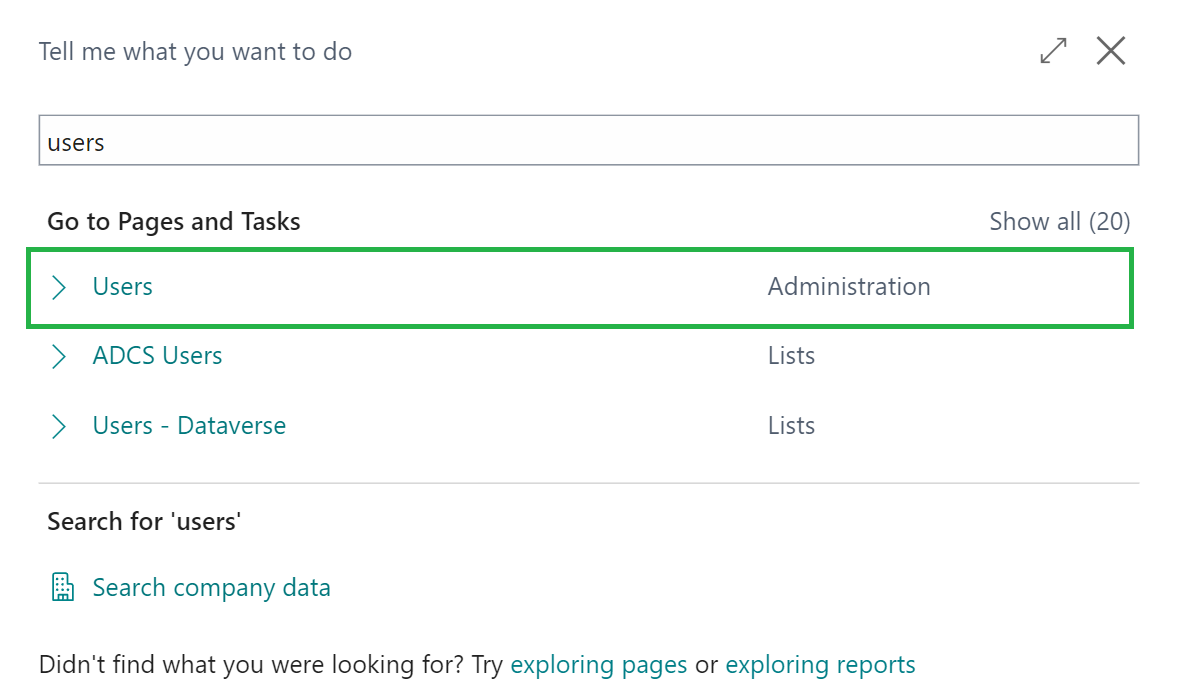
Click Search, type Users and select the Users page.
-
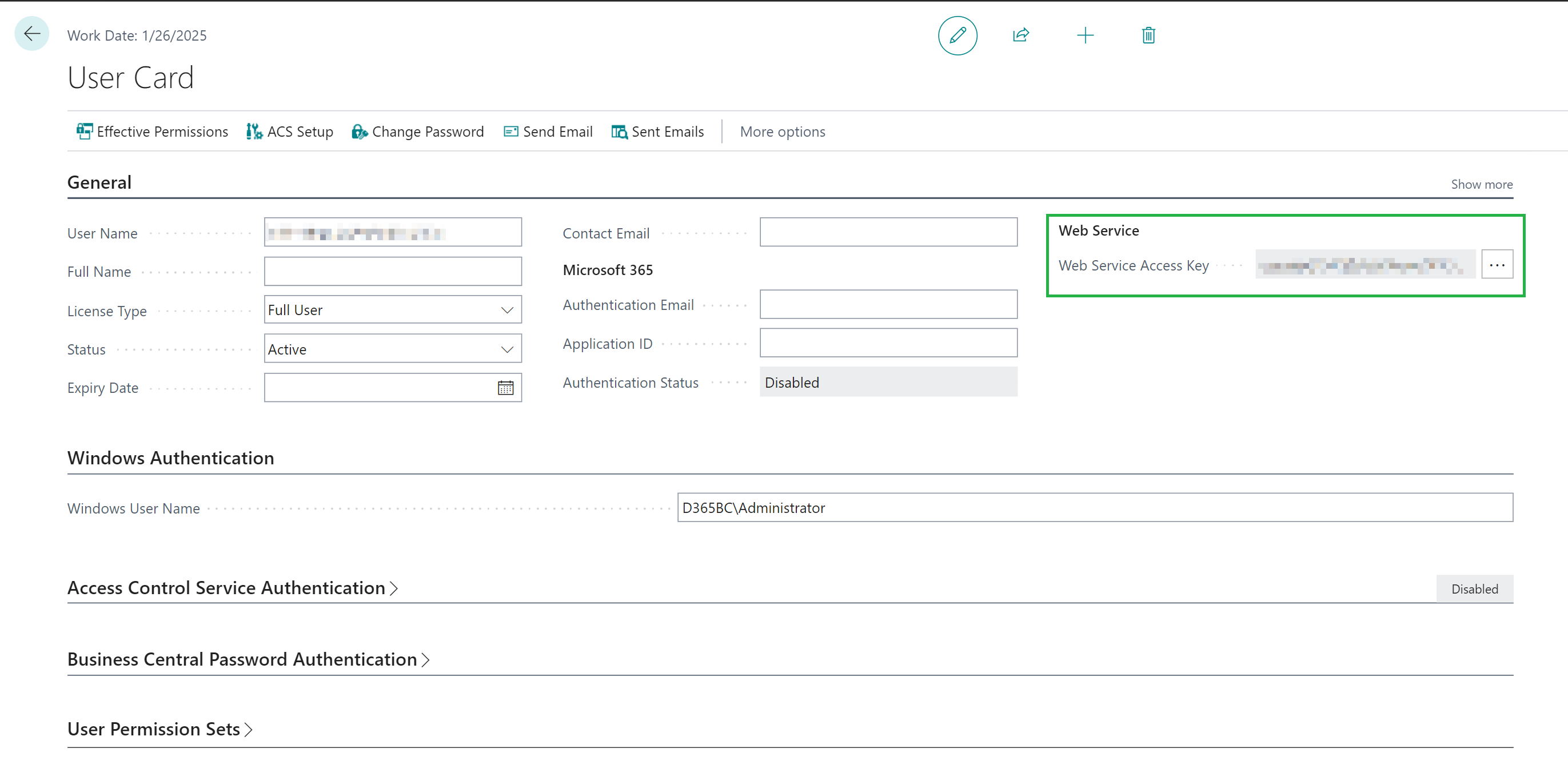
Choose the needed user and click its user name.

-
Copy the existing Web Server Access Key or generate a new one.
Server URL
To find your server URL, do the following:
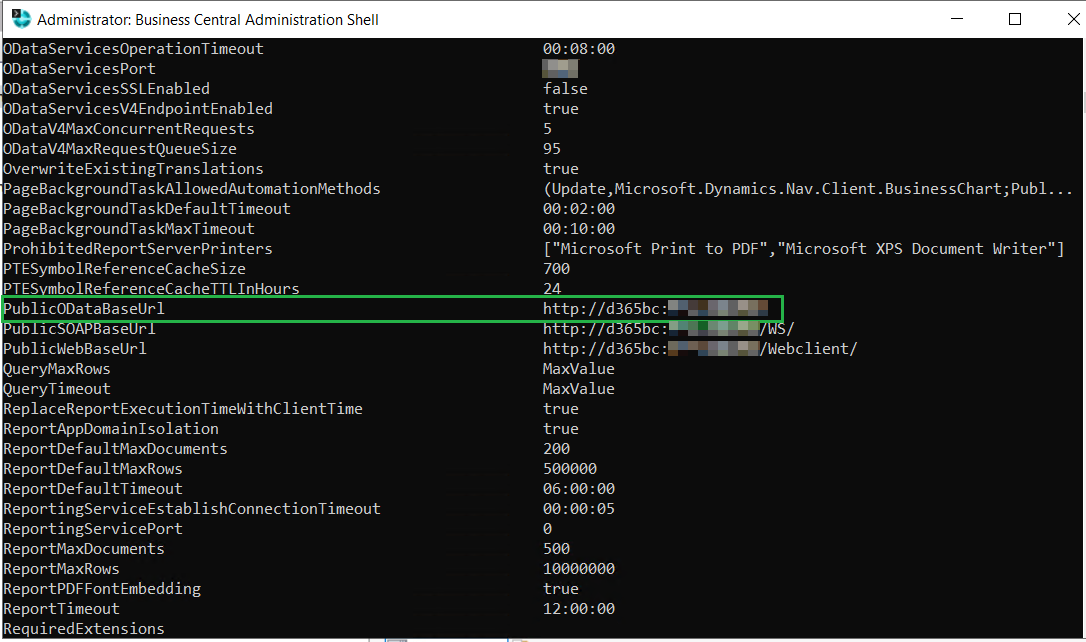
- Open the Business Central Administration Shell on your server.
- The PublicOdataBaseURL value is your Server URL.
Custom API Parameters
Connections with the Custom API Type need three values: API Publisher, API Group, and API Version.
To find them, in your Dynamics 365 Business Central instance, open the custom API endpoint in a browser and read the three segments that follow /api/. What precedes /api/ depends on how you connect:
- Business Central Online:
https://api.businesscentral.dynamics.com/v2.0/production/api/bctech/demo/v1.0/companies({id})/ - Business Central On-Premises:
https://nav.contoso.com:7048/bc/api/bctech/demo/v1.0/companies({id})/
In both, API Publisher is bctech, API Group is demo, and API Version is v1.0.
If you maintain the AL extension yourself, the same three values are properties of the API page:
1
2
3
4
5
6
7
8
9
10
11
{
PageType = API;
APIPublisher = 'bctech';
APIGroup = 'demo';
APIVersion = 'v1.0';
EntityName = 'carModel';
EntitySetName = 'carModels';
SourceTable = "Car Model";
}
Creating Connection (OAuth)
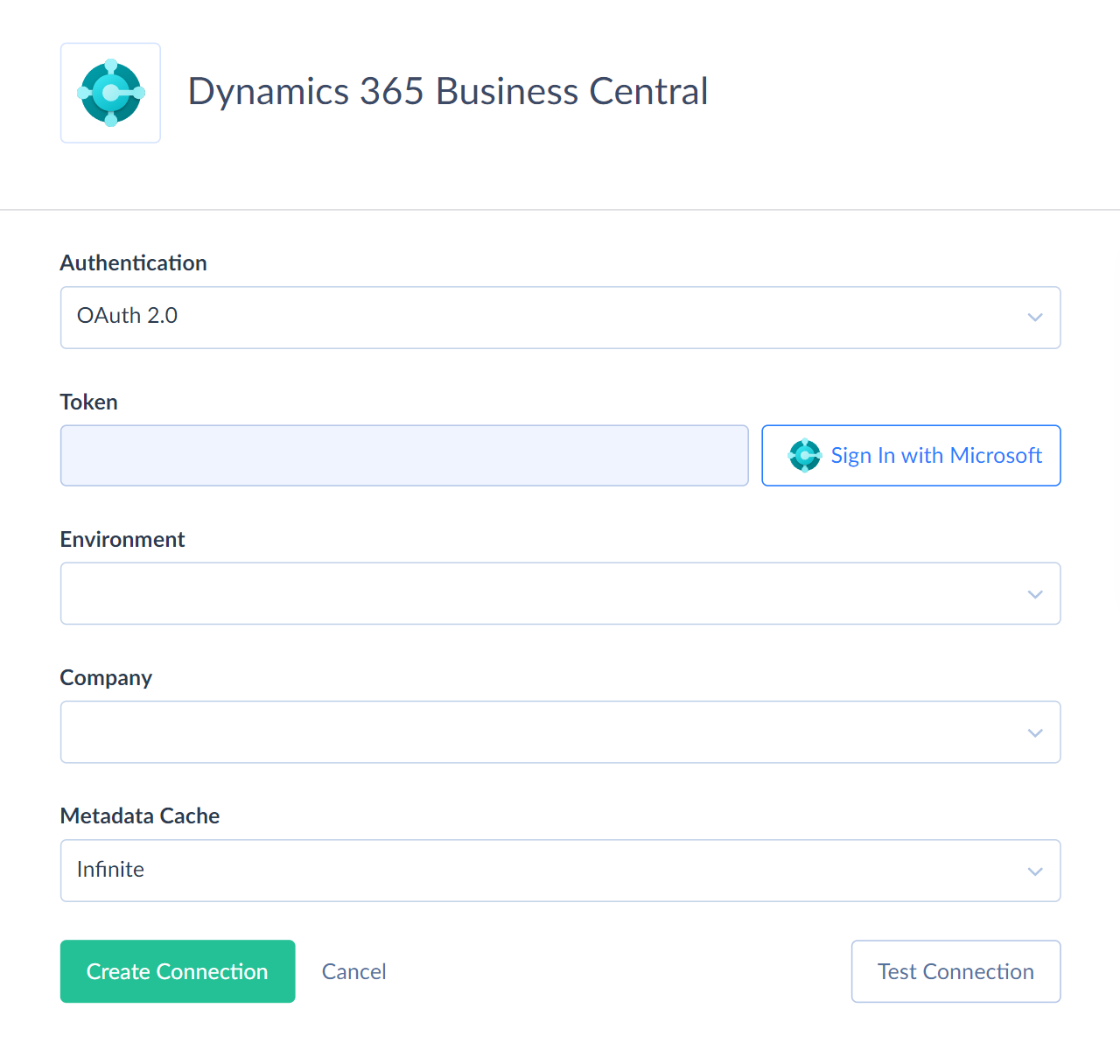
To connect to Dynamics 365 Business Central using OAuth authentication, perform the following steps:
-
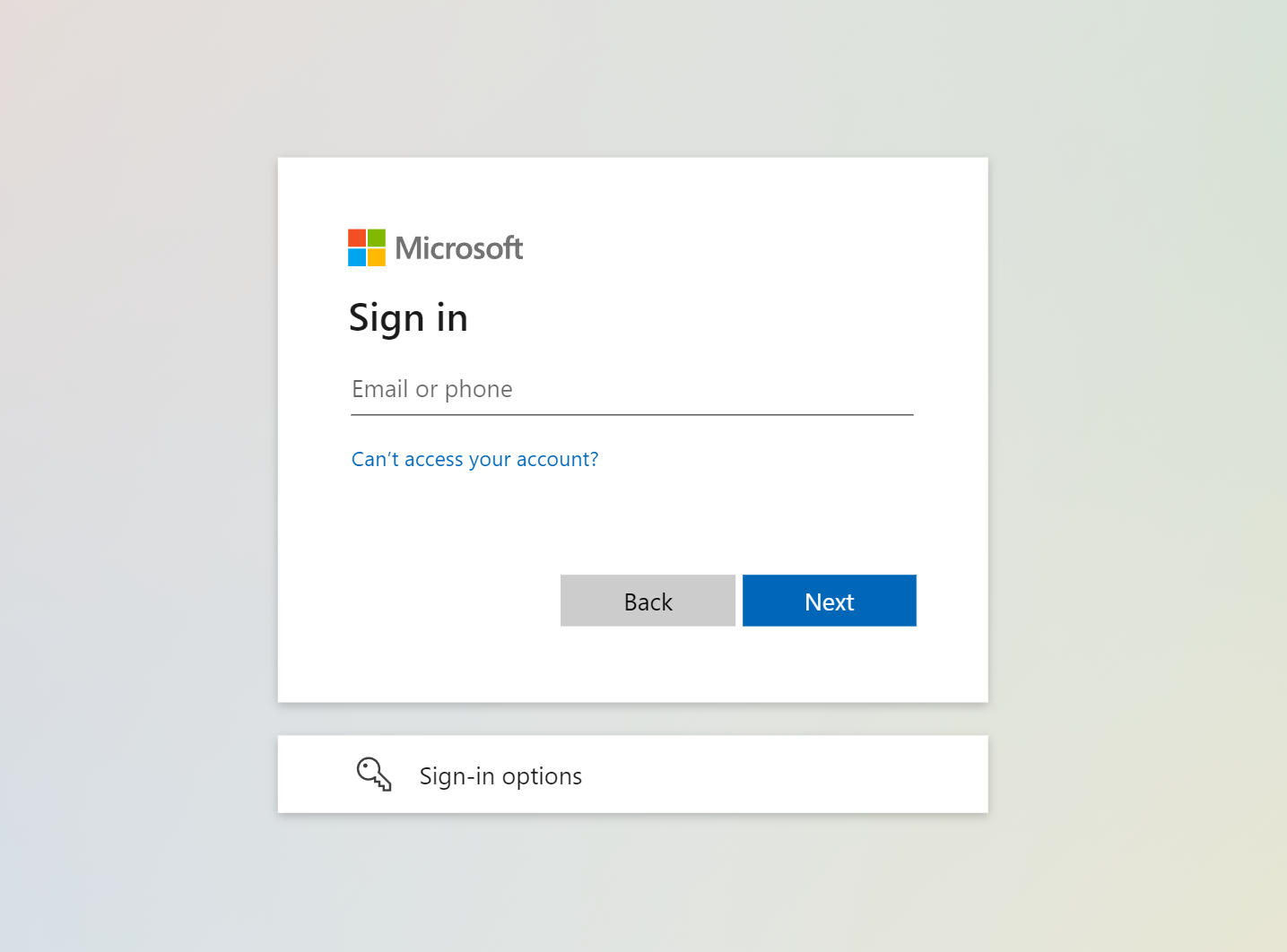
Click Sign In with Microsoft
-
Enter your email and password.
-
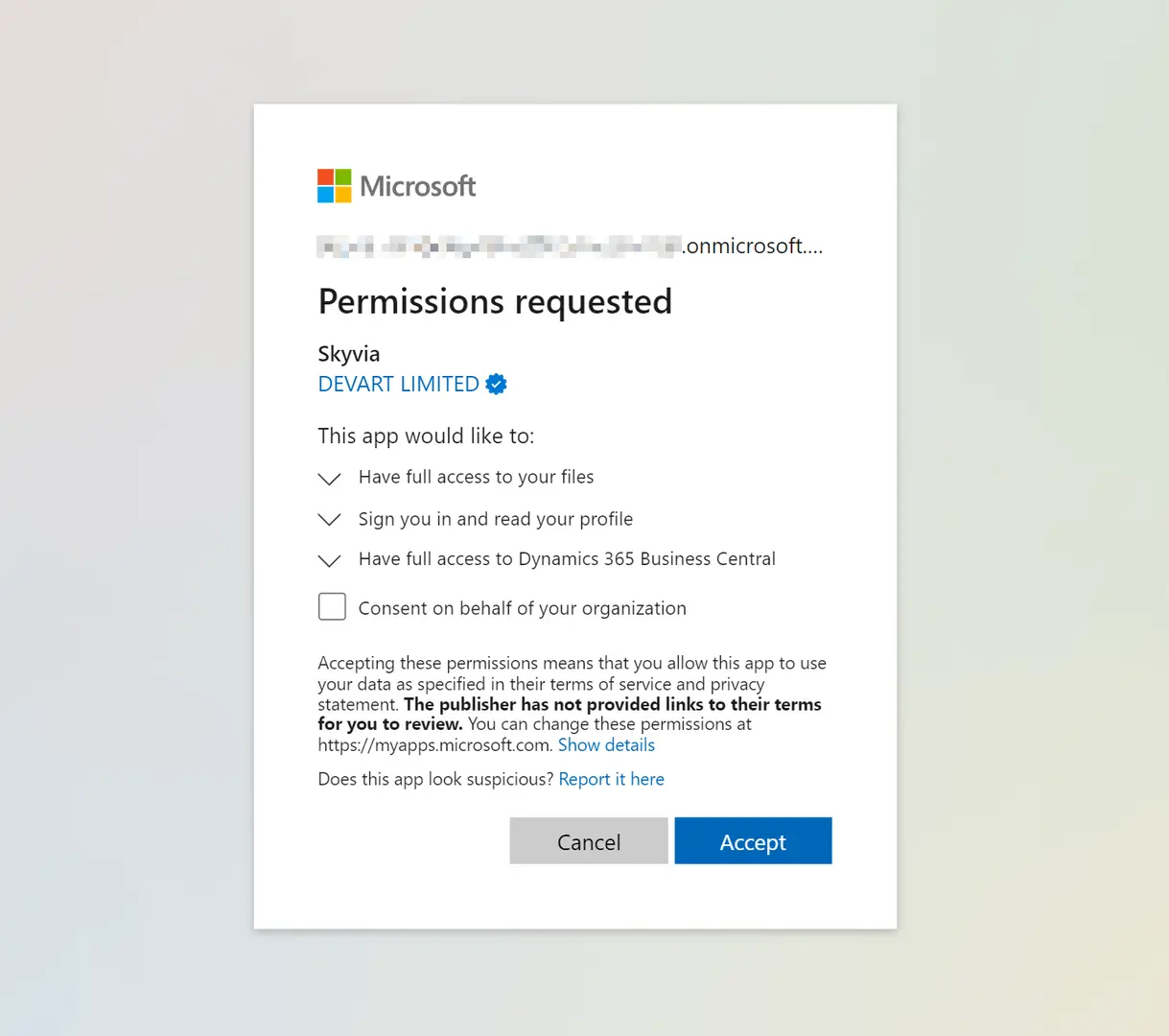
Allow Skyvia to access your data.
-
Select Environment from the drop-down list.
-
Select Company.
-
Optionally, select API Type.
-
Only for the Custom API Type: specify API Publisher, API Group, and API Version.

If your organization requires admin approval for third-party apps, your Microsoft administrator must grant access to Skyvia manually. Contact your Microsoft administrator to complete the connection.
Creating Connection (Basic)
Make sure the API access is enabled on your Dynamics 365 Business Central server. To connect to Dynamics 365 Business Central using Basic authentication, perform the following steps:
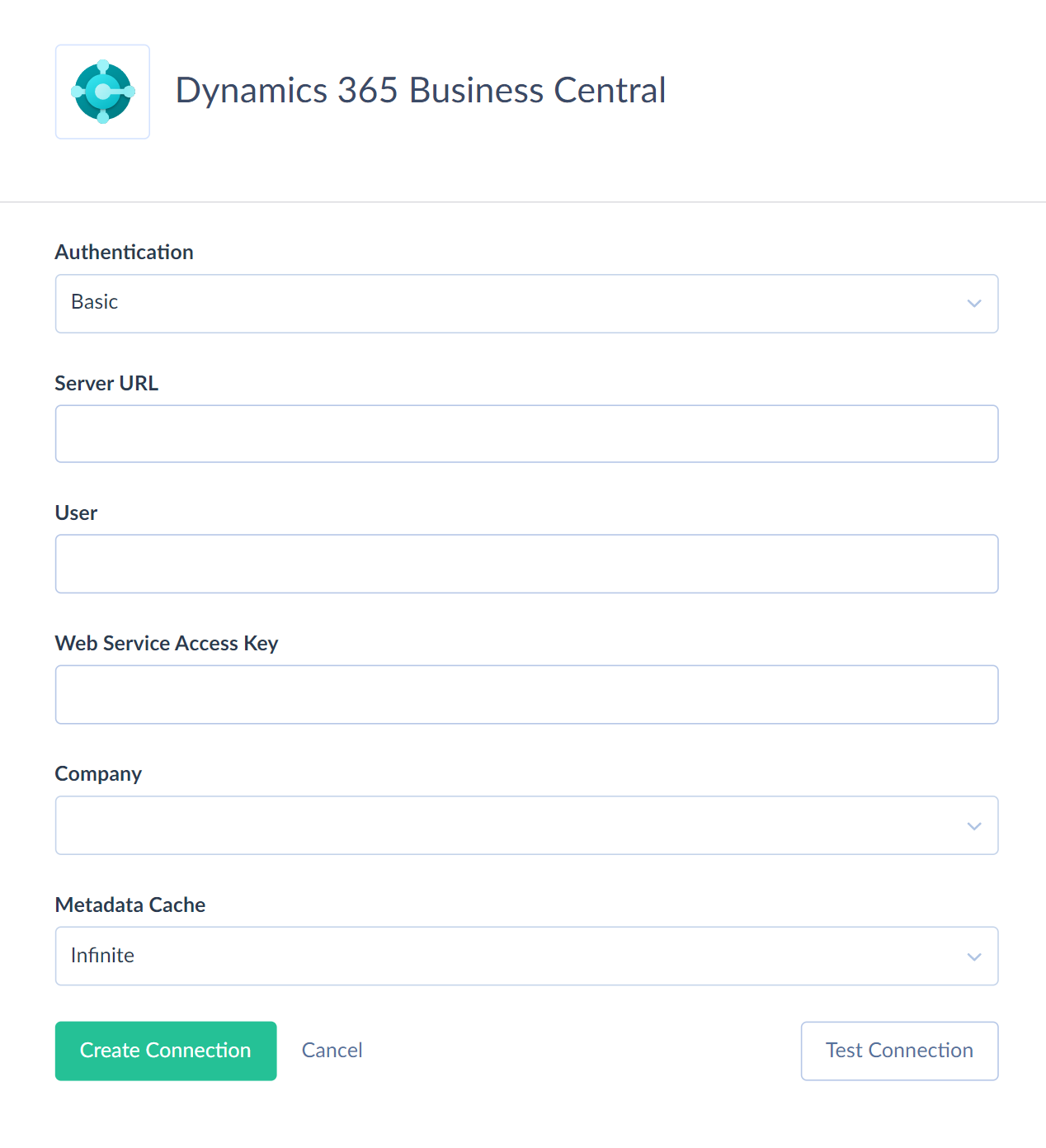
- Specify your Dynamics 365 Business Central server URL.
- Enter the User.
- Enter the Web Server Access Key.
- Select Company from the drop-down list.
- Optionally, select API Type.
- Only for the Custom API Type: specify API Publisher, API Group, and API Version.

Additional Connection Parameters
Metadata Cache
You can specify the period after which Metadata Cache expires.
API Type
The API to use for the connection. Different API provide access to different objects. The avaiilable values are:
- Standard - Standard API v2.0 - built-in Dynamics 365 Business Central REST API, that provide access to the standard Dynamics 365 Business Central objects.
- Custom - user-defined REST API, created on the Dynamics 365 Business Central side using AL. Supports user-defined fields, complex, structured DTO, and data validation defined in AL.
- Web Service - OData V4 Web Services, published manually via the Web Services page in Dynamics 365 Business Central. Allows you to publish any standard or custom page and any query without writing code.
API Publisher
The publisher of the custom API: the organization, company, or vendor that owns it. Available only for the Custom API Type. See Custom API Parameters.
API Group
The logical group the custom API belongs to. Available only for the Custom API Type. See Custom API Parameters.
API Version
The version of the custom API, for example v1.0. Available only for the Custom API Type. See Custom API Parameters.
Connector Specifics
Object Peculiarities
Objects with Binary Data
Our Dynamics 365 Business Central connector contains objects with binary fields. Such objects are related to other objects. Their names consist of the parent object name and the object type. There are four types of such objects: Attachment, PdfDocument, Picture, DimensionSetLine.
For example, there are ContactPicture, PurchaseInvoiceAttachment, and SalesCreditMemoPdfDocument objects. In this case, the Contact*, PurchaseInvoice* and SalesCreditMemo* parts correspond to the parent object names. And the *Picture, *Attachment, and *PdfDocument parts define the object types.
The DocumentAttachment object is an exception. It is a separate object.
Read-only objects
The following Dynamics 365 Business Central objects are read-only:
Account, AccountingPeriod, AgedAccountsPayable, AgedAccountsReceivable, Apicategoryroutes, BalanceSheet, CashFlowStatement, Company, ContactInformation, CurrencyExchangeRate, CustomerFinancialDetail, CustomerSale, Dimension, DimensionValue, EntityMetadata, Externalbusinesseventdefinitions, GeneralLedgerEntry, GeneralLedgerSetup, GeneralProductPostingGroup, IncomeStatement, InventoryPostingGroup, ItemLedgerEntry, PurchaseCreditMemoPdfDocument, PurchaseInvoicePdfDocument, PurchaseReceipt, PurchaseReceiptLine, RetainedEarningsStatement, SalesCreditMemoPdfDocument, SalesInvoicePdfDocument, SalesQuotePdfDocument, SalesShipment, SalesShipmentLine, TrialBalance, VendorPurchase.
Incremental Replication and Synchronization
Skyvia supports Replication with Incremental Updates for objects with either the CreatedAt or UpdatedAt field. Skyvia supports Synchronization for objects with either the CreatedAt or UpdatedAt fields and supports INSERT and UPDATE operations.
DML Operations Support
Skyvia supports the following DML operations for Dynamics 365 Business Central objects.
| Operation | Object |
|---|---|
| INSERT, UPDATE, DELETE | BankAccount, Contact, CountryRegion, Currency, Customer, CustomerPayment, CustomerPaymentDimensionSetLine, CustomerPaymentJournal, CustomerReturnReason, DefaultDimension, DocumentAttachment, Employee, Externaleventsubscriptions, FixedAsset, FixedAssetLocation, GeneralLedgerEntryAttachment, GeneralLedgerEntryDimensionSetLine, Item, ItemCategory, ItemVariant, Journal, JournalLine, JournalLineAttachment, JournalLineDimensionSetLine, Location, Opportunity, PaymentMethod, PaymentTerm, Project, PurchaseCreditMemo, PurchaseCreditMemoAttachment, PurchaseCreditMemoDimensionSetLine, PurchaseCreditMemoLine, PurchaseCreditMemoLineDimensionSetLine, PurchaseInvoice, PurchaseInvoiceAttachment, PurchaseInvoiceDimensionSetLine, PurchaseInvoiceLine, PurchaseInvoiceLineDimensionSetLine, PurchaseOrder, PurchaseOrderAttachment, PurchaseOrderDimensionSetLine, PurchaseOrderLine, PurchaseOrderLineDimensionSetLine, PurchaseReceiptDimensionSetLine, PurchaseReceiptLineDimensionSetLine, SalesCreditMemo, SalesCreditMemoAttachment, SalesCreditMemoDimensionSetLine, SalesCreditMemoLine, SalesCreditMemoLineDimensionSetLine, SalesInvoice, SalesInvoiceAttachment, SalesInvoiceDimensionSetLine, SalesInvoiceLine, SalesInvoiceLineDimensionSetLine, SalesOrder, SalesOrderAttachment, SalesOrderDimensionSetLine, SalesOrderLine, SalesOrderLineDimensionSetLine, SalesQuote, SalesQuoteAttachment, SalesQuoteDimensionSetLine, SalesQuoteLine, SalesQuoteLineDimensionSetLine, SalesShipmentDimensionSetLine, SalesShipmentLineDimensionSetLine, ShipmentMethod, TaxArea, TaxGroup, TimeRegistrationEntry, TimeRegistrationEntryDimensionSetLine, UnitOfMeasure, Vendor, VendorPayment, VendorPaymentDimensionSetLine, VendorPaymentJournal |
| UPDATE, DELETE | ItemPicture, CustomerPicture, ContactPicture, VendorPicture, EmployeePicture |
| UPDATE | CompanyInformation, ApplyVendorEntry |
Supported Actions
Skyvia supports all the common actions for