Freshcaller
Freshcaller is a cloud PBX (Private Branch eXchange) software that provides call management services for support teams.
Data integration: Skyvia supports importing data to and from Freshcaller, exporting Freshcaller data to CSV files, and replicating Freshcaller data to relational databases.
Backup: Skyvia Backup does not support Freshcaller.
Query: Skyvia Query supports Freshcaller.
Establishing Connection
To create a connection to Freshcaller, specify the organization name and the API Key.
Getting Credentials
API Key
To locate the API Key, go to Freshcaller and do the following.
-
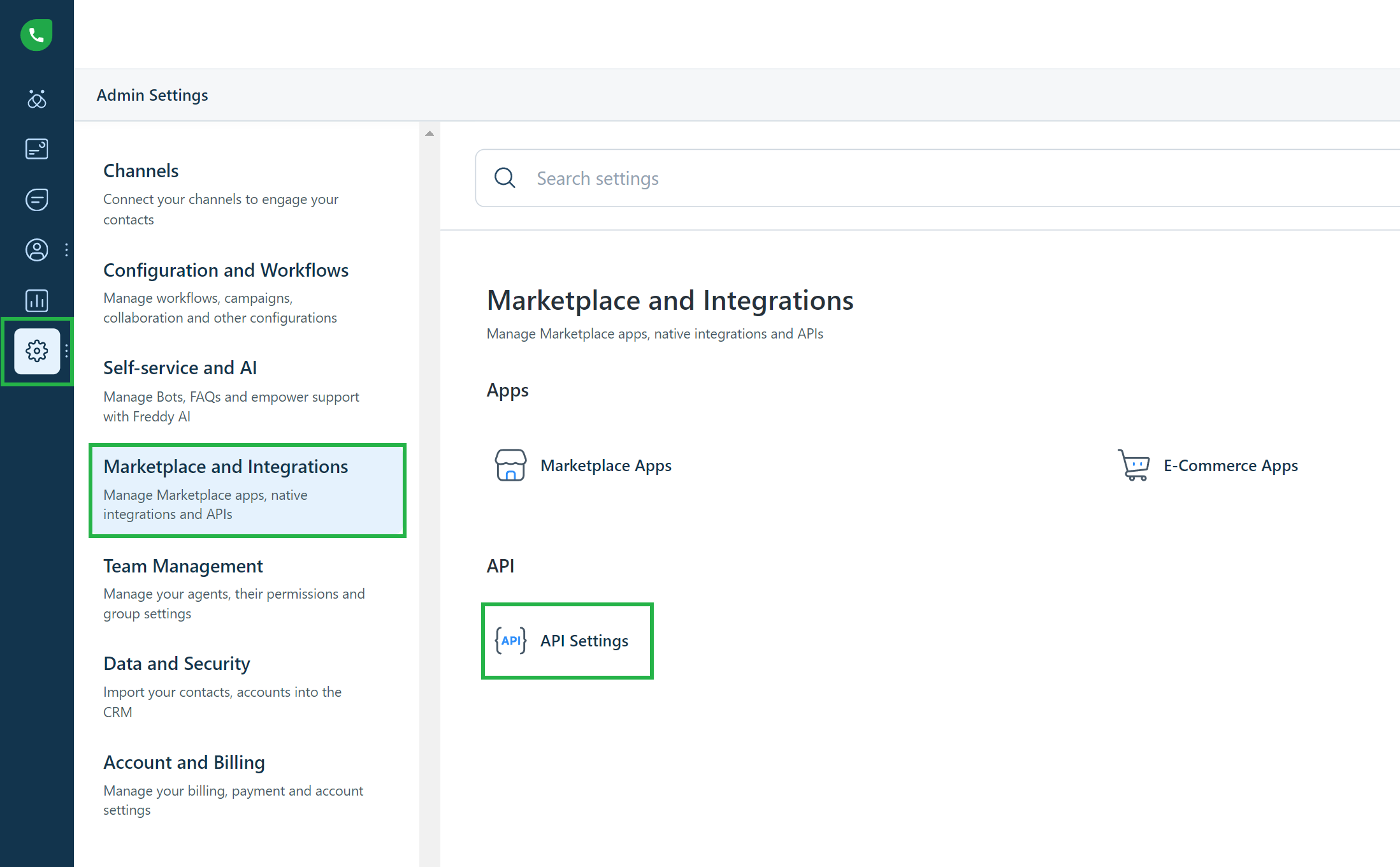
Click Settings->Admin Settings on the left.
-
Select Marketplace and Integrations.
-
Click API Settings
-
Copy your API Key in the API DETAILS FOR PHONE section from the corresponding box.
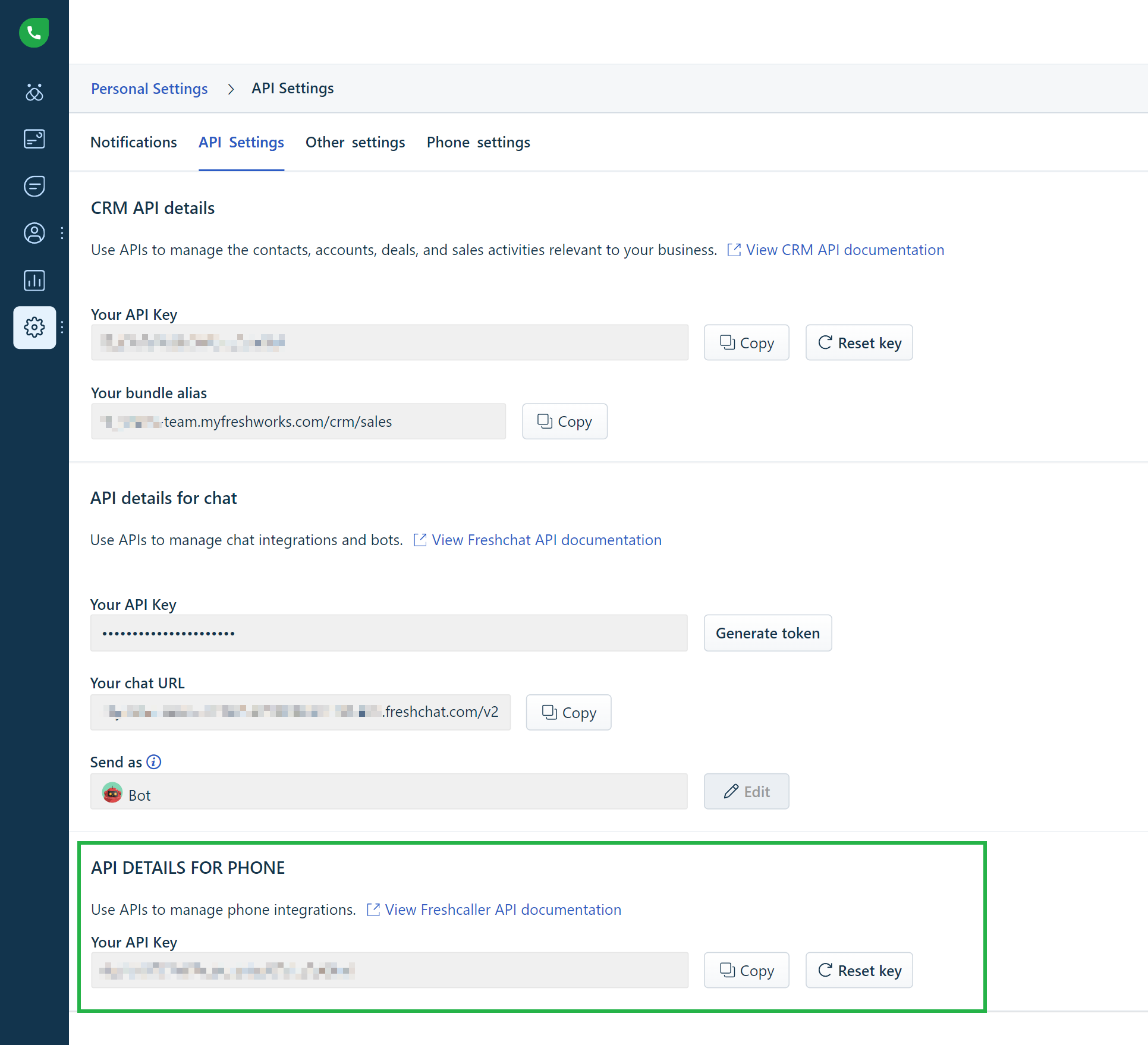
Use the API key of a Freshcaller admin user. Freshcaller allows only admins to export data and access call metrics, so with a non-admin API key, the Calls, CallMetrics, and CallRecordings objects may return no data.
Creating Connection
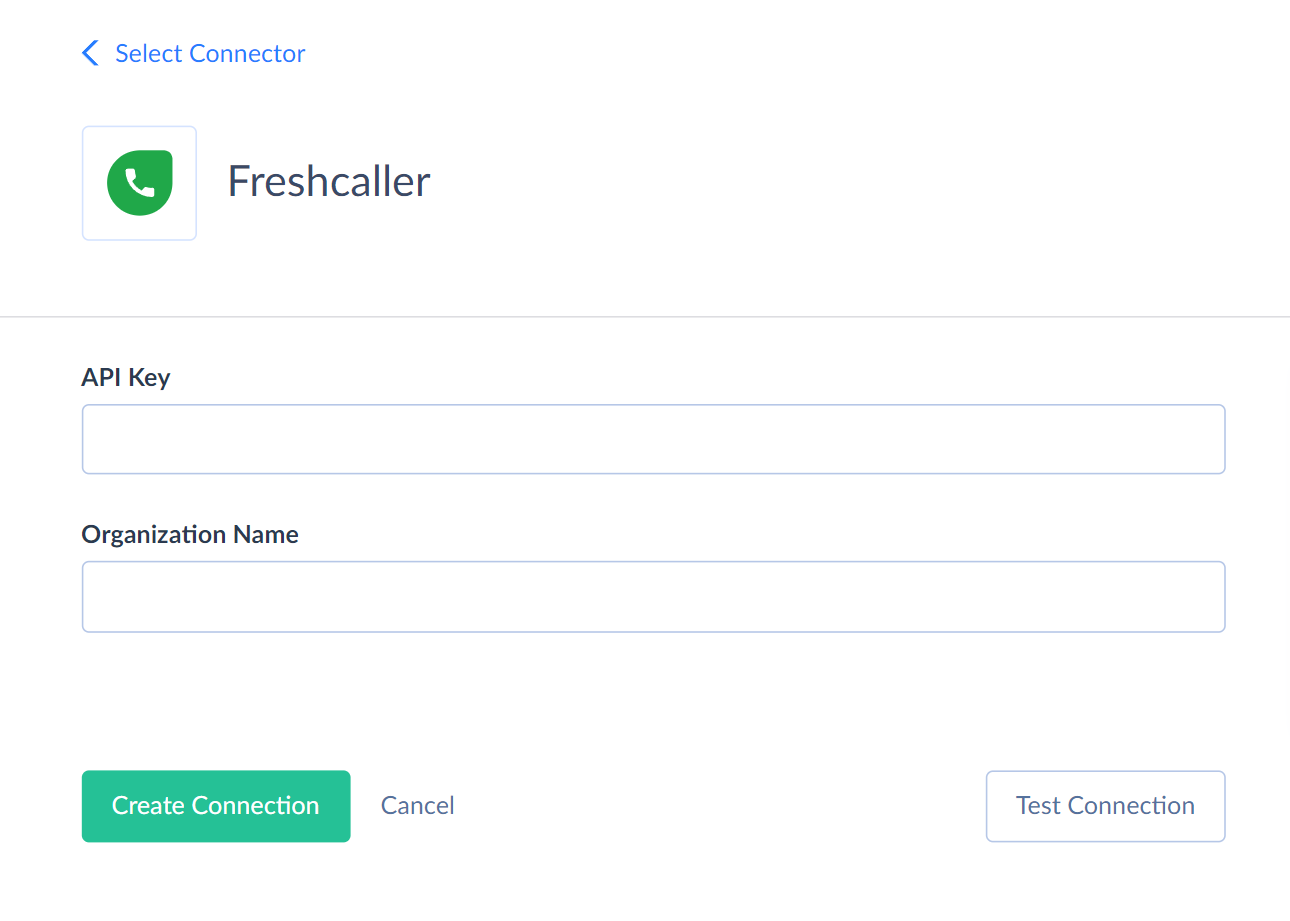
To connect to Freshcaller, enter the organization name and the API key into the corresponding boxes in the Connection Editor.
The organization name is the part of your Freshcaller URL before .myfreshworks.com. For example, if you access Freshcaller at https://mycompany.myfreshworks.com, the organization name is mycompany.
If the name you specified when registering your Freshcaller account was already taken, Freshcaller generates a modified organization name, for example,
mycompany-698128816778356819. Freshcaller API returns the RecordNotFound error for all requests from such accounts, so Skyvia can't connect to them.
Connector Specifics
Object Peculiarities
Calls, CallMetrics, and CallRecordings
Skyvia reads data from these objects using the Freshcaller data export API. Note the following specifics:
- Freshcaller exports data for a period of up to 730 days. If you don't filter by the CreatedTime field, Skyvia reads only records created during the last 730 days. To get older records, filter by CreatedTime explicitly. In this case, Skyvia splits the period into several exports.
- Freshcaller allows only one export at a time per account. If several queries or integrations read these objects at the same time, each waits until the previous export completes. Any query to these objects starts an export, even a query with a small LIMIT or a data preview.
- If you filter by Id (for Calls) or CallId (for CallMetrics and CallRecordings), Skyvia reads the records directly without an export, which is much faster.
CallRecordings
This object has the binary field Content, which contains the call recordings. Due to Freshcaller API specifics, when you query this field, Skyvia performs 2 additional API calls for every record. Thus, querying this object may require time and additional API calls.
Filtering Specifics
Freshcaller API supports the following native filters:
| Object | Fields and Operators |
|---|---|
| Teams | Id (=) |
| Users | Id (=) |
| TeamUsers | TeamId (=) |
| CallRecordings | CallId (=), CreatedTime (>, >=, <, <=) |
| Calls | Id (=), CreatedTime (>, >=, <, <=) |
| CallMetrics | CallId (=), CreatedTime (>, >=, <, <=) |
Use these filters to improve performance and save API calls. You can use filters with other fields or operators, but it may increase API call usage.
Complex Structured Data
The following fields store complex structured data in JSON format.
| Object | Field | Nested Object |
|---|---|---|
| Teams | Users | IdType. Skyvia represents this field as a separate TeamUsers object |
| Users | Teams | IdType |
| Calls | IntegratedResources | IntegratedResourcesType |
| Calls | Participants | ParticipantType |
| Calls | LifeCycle | LifeCycleType |
| CallMetrics | Tags | TagsType |
| CallMetrics | LifeCycle | LifeCycleType |
You can use our Nested Objects mapping feature in the Import integrations to insert or update the nested values in such fields. Select the Nested Objects checkbox in Import integration to enable this feature.
To replicate such fields as separate tables, set the Unwind Nested Objects option to Separate tables in your Replication.
Incremental Replication and Synchronization
Skyvia supports Replication with Incremental Updates for the Calls, CallMetrics, and CallRecordings objects. Skyvia replicates only new records in the CallRecordings object.
Freshcaller API doesn't support filtering by the UpdatedTime field. To detect changes in the Calls and CallMetrics objects, Skyvia exports records created during up to 730 days before the last replication run and filters them by UpdatedTime on its side. Thus, each incremental replication run may take significant time.
Skyvia doesn't support Synchronization for Freshcaller objects.
DML Operations Support
Skyvia supports the following DML operations.
| Operation | Object |
|---|---|
| INSERT, UPDATE | Teams, Users |
| DELETE | CallRecordings |
Supported Actions
Skyvia supports all the common actions for Freshcaller.